
Everything RotaTiger does today.
Leave and absence software for UK and US companies, counted in hours so it fits every way of working.
Counted in hours, shown the way people think
Most leave tools count days. That breaks when someone works four 10-hour days or a rota of 12-hour nights. RotaTiger stores every balance in minutes and costs each booking from that person’s own pattern.
- A day is that person’s day. A week off costs 40 hours on 4 × 10h and 37.5 on a standard week.
- Balances read like “14 days (140h)” or “2 shifts (24h)”, or hours only if you prefer.
- Statutory 5.6 weeks from average weekly hours, with an option to round up to whole days or shifts. Never down.
- Pro-rata allowances for starters and leavers. Leavers who’ve taken too much show a negative balance for HR.
- Change someone’s pattern mid-year and future bookings are re-costed. They’re told if the cost moved.
- Casual and irregular-hours staff accrue 12.07% of every hour worked, approved overtime included, and book it in hours.
Bank holidays that are fair to everyone
All three UK calendars and the US federal list, generated from the published rules and always two years ahead.
- England & Wales, Scotland and Northern Ireland each have their own calendar, plus the US federal list.
- Taken from the allowance at that day’s hours. Someone who doesn’t work Mondays doesn’t lose hours to a Monday holiday.
- Lieu days for compressed hours: when a holiday lands on a day off, choose nothing extra, the next working day off, or a lieu day added to their balance.
- Each location has its own calendar and time zone, and can stay open on bank holidays.
- Company days: a Christmas closure that costs nobody anything, or a shutdown that comes out of annual leave.
Working patterns for how people really work
From a 37.5-hour office week to crews on a day and night cycle.
- Fixed weeks: 37.5h Monday to Friday, 4 × 10h compressed, part-time, Tuesday-to-Saturday retail.
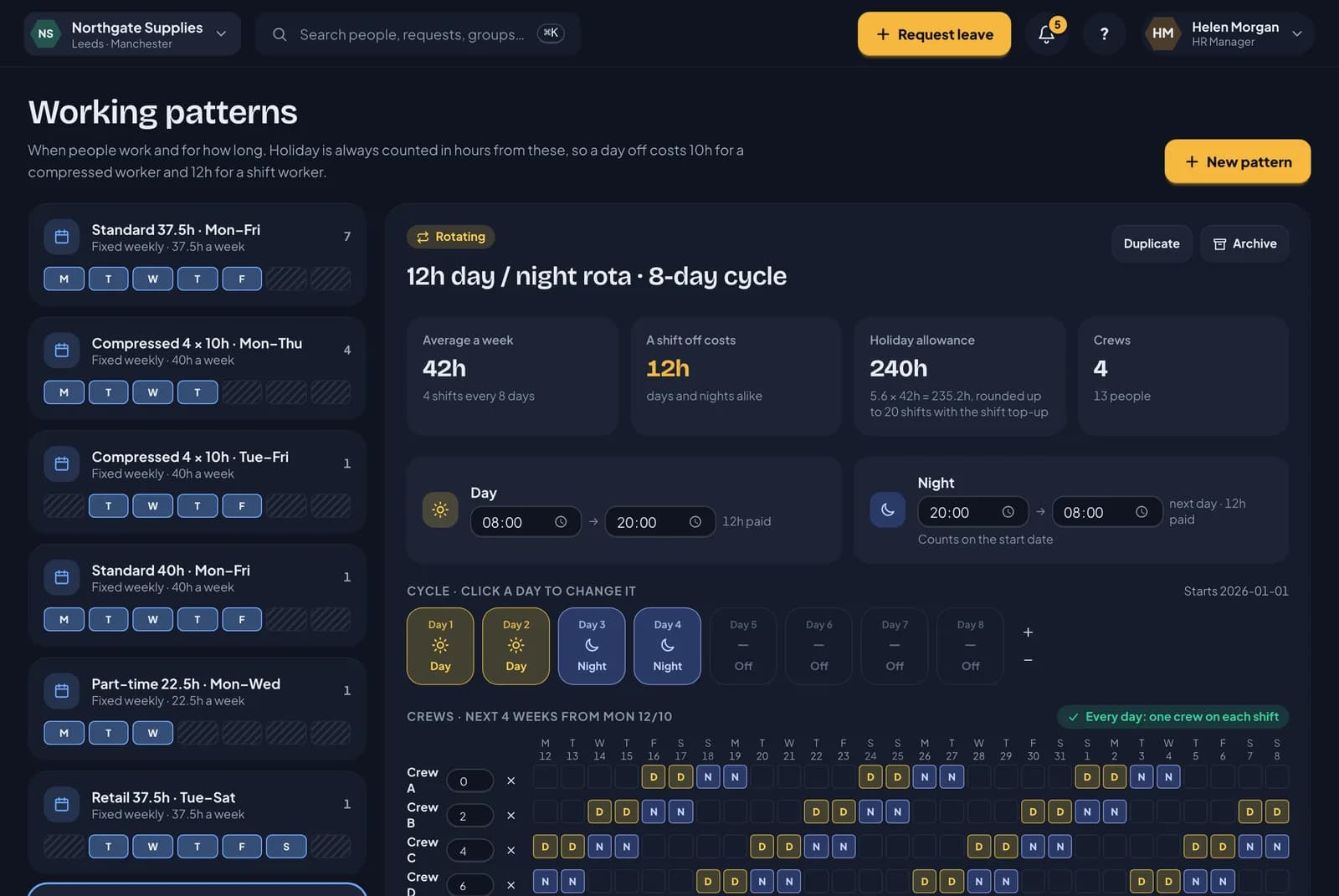
- Rotating crews on day and night cycles. The editor warns when the crews don’t cover every day and night.
- Casual and variable hours, checked against weekly caps, the 48-hour average, the longest shift and rest between shifts.
- Night shifts belong to the day they start, so leave, cover and the wallchart always agree.
- Shift swaps and cover between colleagues, marked on the wallchart.
- Rota staff: contracted hours, with shifts planned week by week in the rota builder.
Rota and auto scheduling
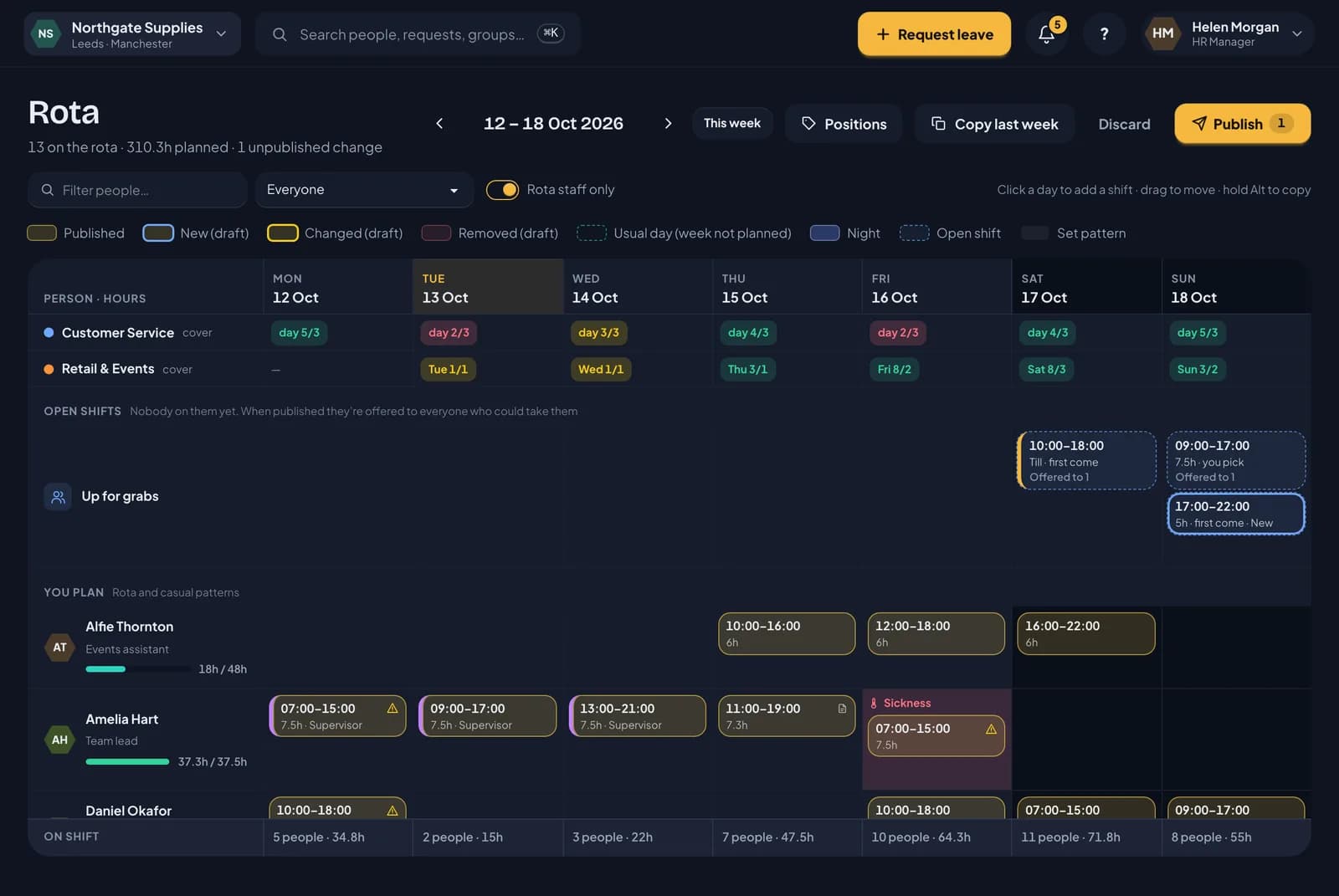
Plan the week on a grid, or let Auto-fill draft it from your staffing needs, then publish it. Nothing changes for staff until you do.
Read the rota guide →- People down the side, days across the top. Click a day to add a shift, drag to move it, hold Alt (Option on a Mac) to copy it.
- Copy last week in one click, or start from each person’s usual days.
- Each shift is checked as you place it: overlaps, the longest shift, weekly caps, rest between shifts, leave, sickness, and start and leaving dates. A rule break is saved in red and must be fixed before publishing.
- A By shift view: who’s on each shift, places still needed, and a staff list to drag people from.
- Fairness: each person’s early, late, night and weekend shifts over the last four weeks, against the team. It turns amber when someone keeps getting the same kind.
- Week progress: staffing needs filled, open and short for each day, contracted hours planned, and each gap still to fill one click away.
- Each person’s hours against their contract, and each group’s cover against its minimum, update as you plan.
- Send the proposed week to staff before it’s final. They say “Looks good” or which shift they can’t do and why, and you see every reply on the rota.
- A publish preview of every change by day, across one or more weeks. Then everyone whose shifts changed gets an email and a notification listing their week.
- Anyone planned over their contracted hours or weekly cap is asked about at publishing. Extra hours can be recorded as approved overtime, paid or as time off in lieu, ready for payroll.
- Staffing needs for each location: how many people, when, and in which position. The rota shows how full each day is.
- Auto-fill drafts the week to meet them, using only people who pass every check, with contracted hours first and weekends and nights shared fairly. Undo it in one go.
- Staff set when they can’t work and when they’d prefer to. The rota warns you, and Auto-fill never books them then.
- Open shifts go to everyone who could work them. Either the first to take it gets it, or people ask and you choose.
- Positions such as Till or Supervisor, with who can work each one.
- Staffing needs templates for bank holiday and Christmas weeks, and rota templates that save a planned week to reuse.
- Line managers plan their own team. HR plans everyone.
- Staff can book leave before the rota is out. Until a week is published, their usual days count.
- RotaTiger holds hours, not pay rates, so the rota shows hours rather than wage costs.
The wallchart
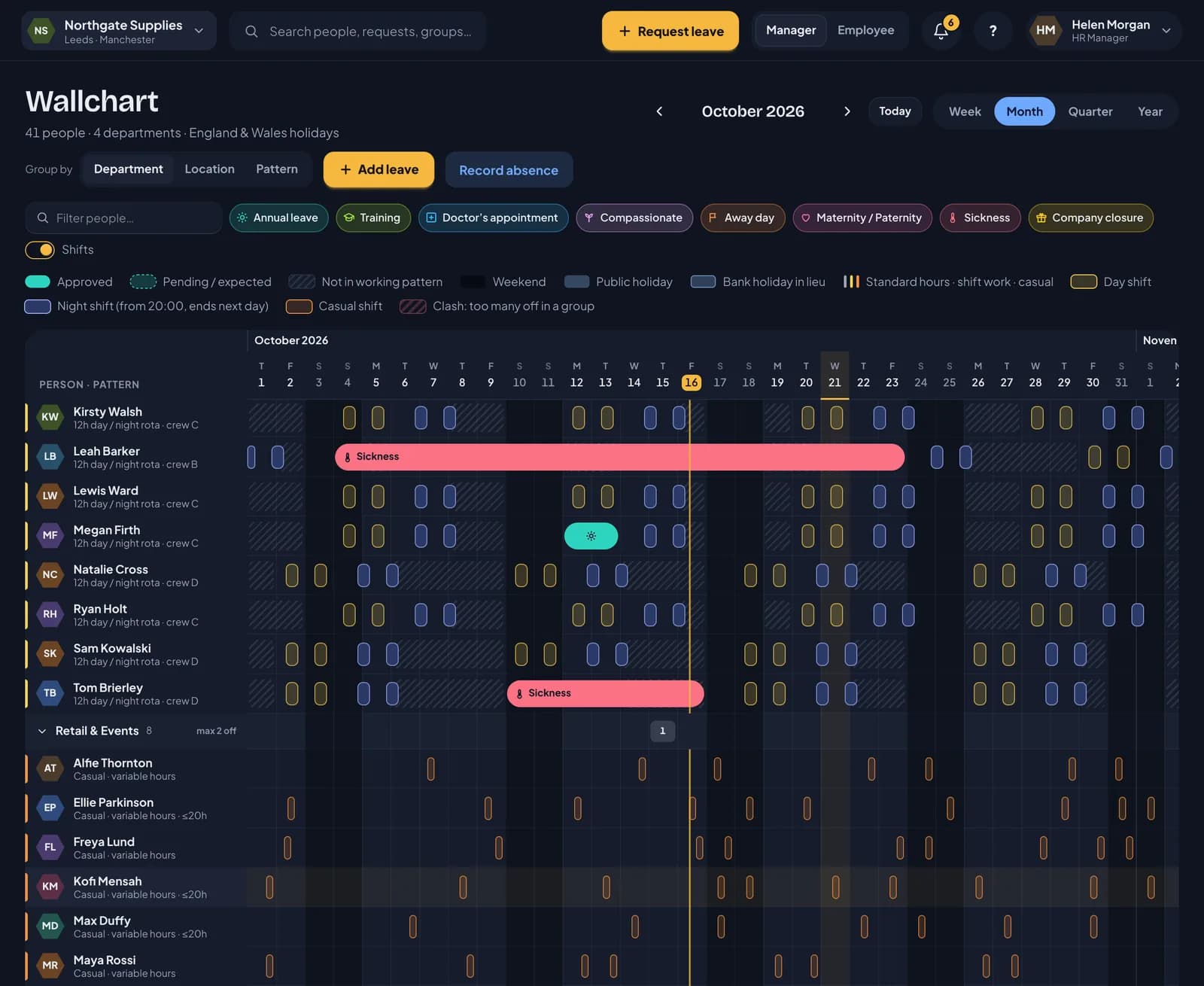
One grid of people and days, for a week, a month, a quarter or the whole year.
- Approved leave is solid, waiting leave is dashed, expected sickness is dashed until the person is back.
- Day and night shift chips show times, paid hours and breaks on hover.
- A coloured stripe by each name shows how they work: grey for standard hours, amber for shift work, orange for casual.
- The row and day under your pointer are highlighted, so it’s easy to follow a long month.
- Click a name for a quick overview: balance, manager, pattern, start date and a shortcut to book or give time off.
- Group by department, location or pattern. Filter by name or leave type.
- Clashes are highlighted from each group’s limit, using the same numbers the approver sees.
- Private types such as sickness show as “Away”. The server strips the detail, so it isn’t just hidden on screen.
Requests and approvals
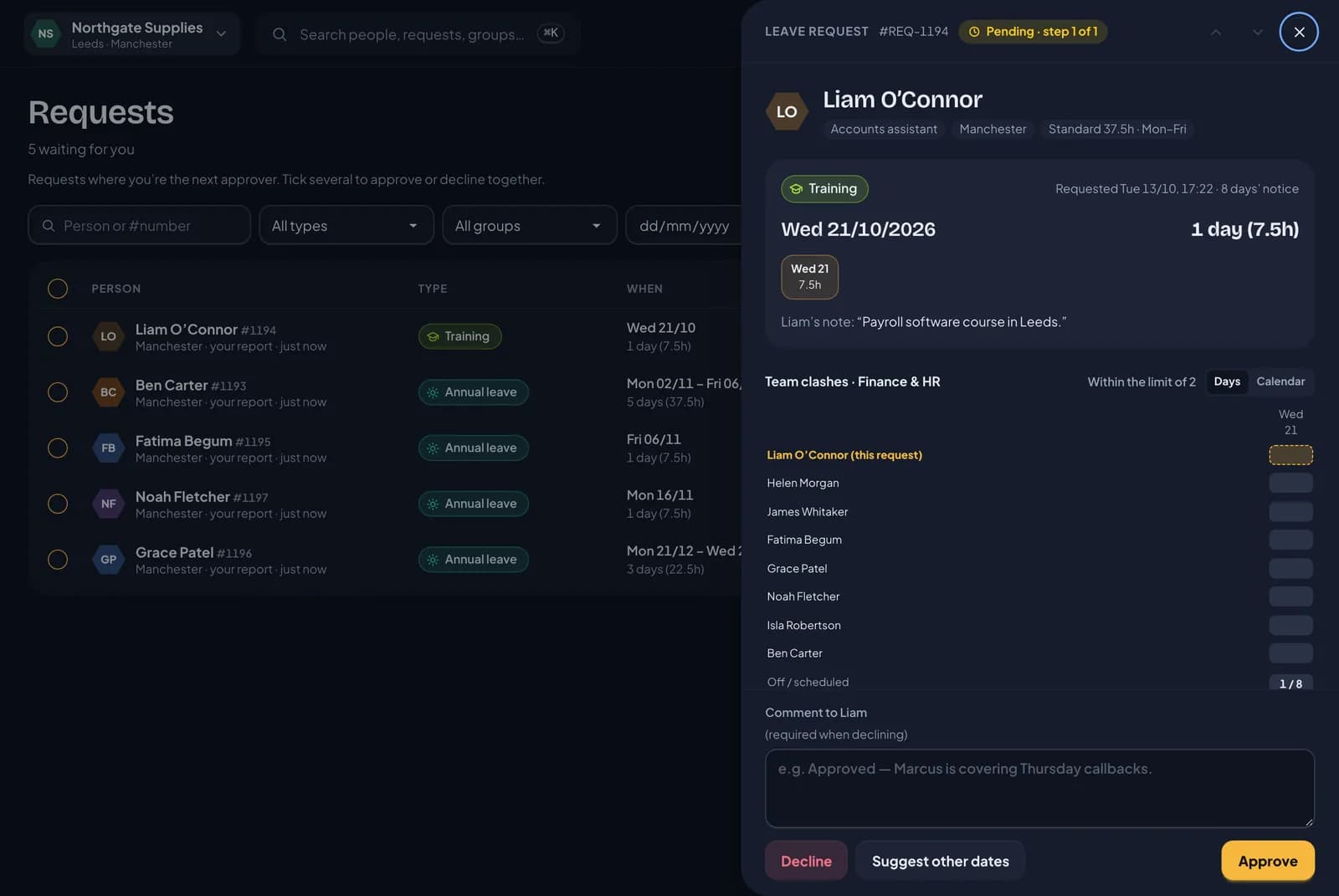
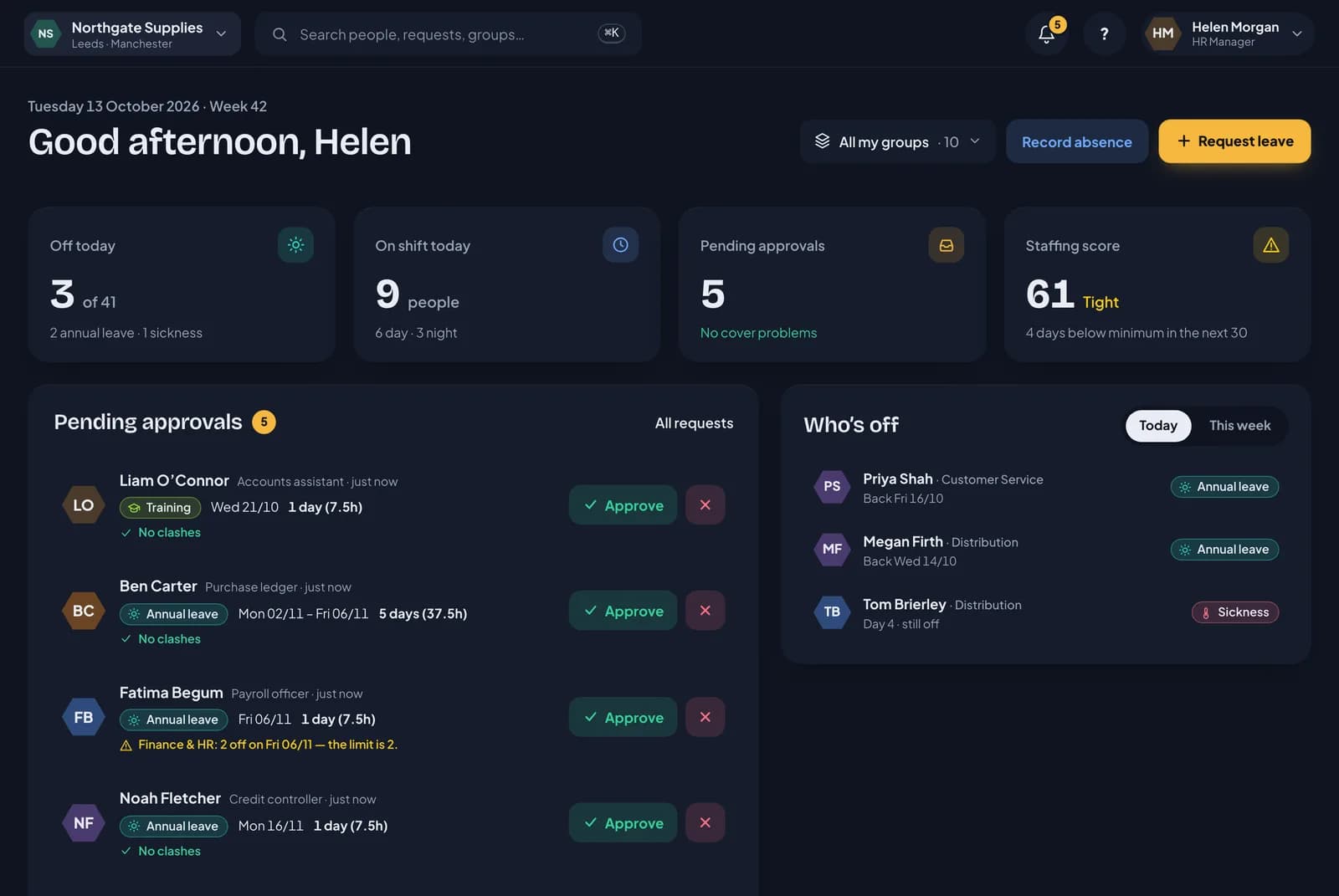
Everyone sees what a booking costs before they send it, and managers see what it does to cover before they decide.
- Booking shows the hours, the balance left after and any warnings first. Part days in hours.
- The line manager approves. HR only steps in when a rule asks for it, and never if HR is already the approver.
- Delegates cover a manager’s approvals for a date range, and waiting requests move across to them.
- One-click approve or decline from the email. Links are single-use, last seven days and still run every check.
- The request panel shows team clashes, the staffing score if approved, cover against the minimum and the history.
- “Suggest other dates”, bulk approve, and undo for ten minutes afterwards.
- Reminders to the approver after 48 hours and to HR after 96. Approved leave arrives with a calendar file.
RotaTiger for iPhone and Android
Coming soon. A staff app built for people who don’t sit at a desk, with approvals for line managers in the same app.
- Book time off in three taps: pick the type, tap the days, send. The calendar shows the shifts you actually work.
- “I’m not well today” tells your manager straight away, with a reason they can refer back to and a check-in each morning.
- Line managers approve, decline or mark “Let’s talk” from the Team tab or straight from a notification, with cover shown first.
- Sign in with a 6-digit code sent to your email or mobile, then Face ID. No passwords to forget.
- Log overtime when you finish late. Your manager approves it from the Team tab or straight from the notification.
- Your rota for the next four weeks, with your manager’s notes. Take an open shift from the notification.
- Your calendar, your requests, your overtime, time off in lieu and your own photo, all in one place.
- Home screen widgets for holiday left and the next shift, plus lock screen widgets on iPhone.
- Works on foldables too, including iPhone Duo: compact when folded, two panes when open.
Overtime, paid or banked
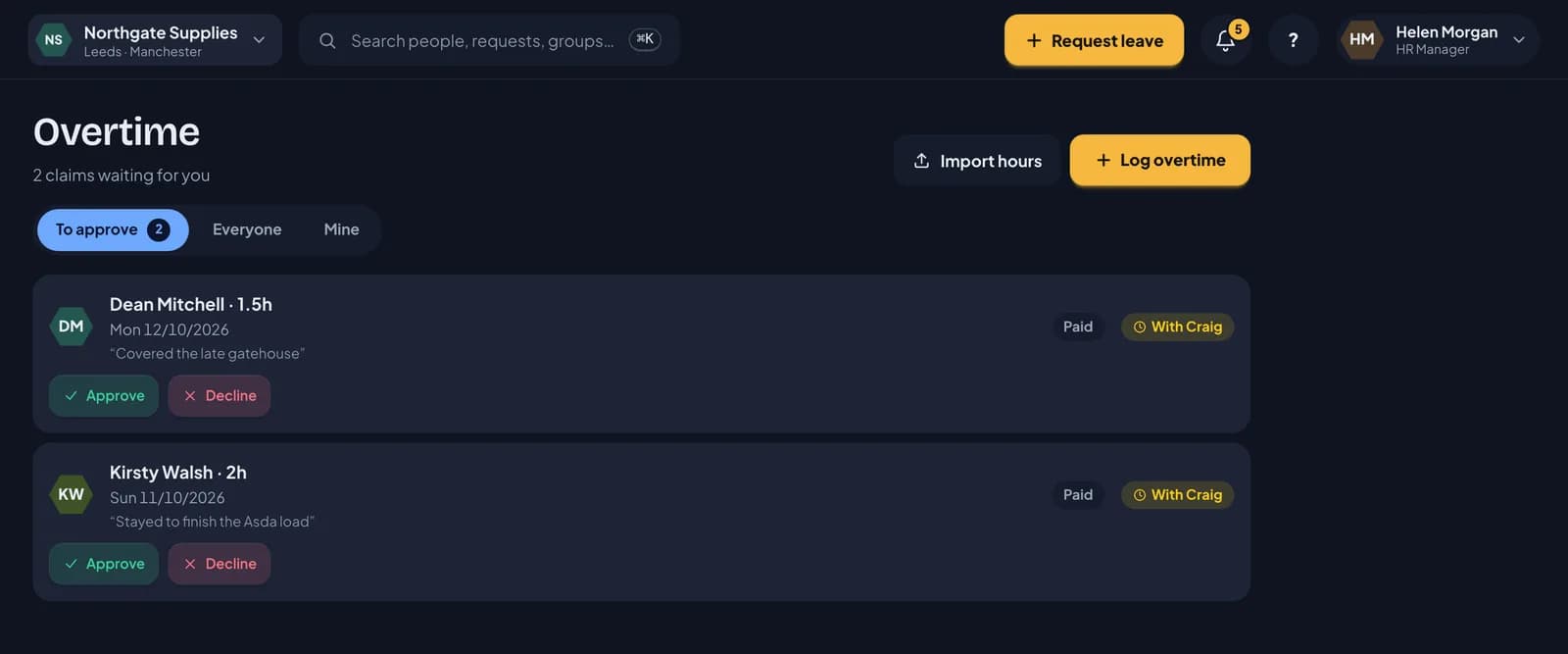
Hours worked on top of the rota, recorded when they happen and approved like leave. Approved overtime counts for holiday and goes to payroll.
- Staff log overtime with the hours or a start and finish time. Their line manager approves it from the dashboard or a notification.
- Managers record overtime for their own team, approved straight away. HR can import a month of hours from payroll or a clocking system as a CSV, checked row by row first.
- Each allowance policy decides: paid, banked as time off in lieu, or the person's choice. Bank at 1, 1.5 or 2 hours per hour worked.
- Banked overtime goes into its own time off in lieu balance with an expiry date. It never touches the annual allowance.
- For casual and irregular-hours staff, approved overtime counts towards their 12.07% holiday, just like rostered shifts.
- Nobody approves their own overtime, and the same claim can't be sent twice. Managers and HR can undo approved overtime. Any time off in lieu it added is then taken back.
Holiday records and payroll export
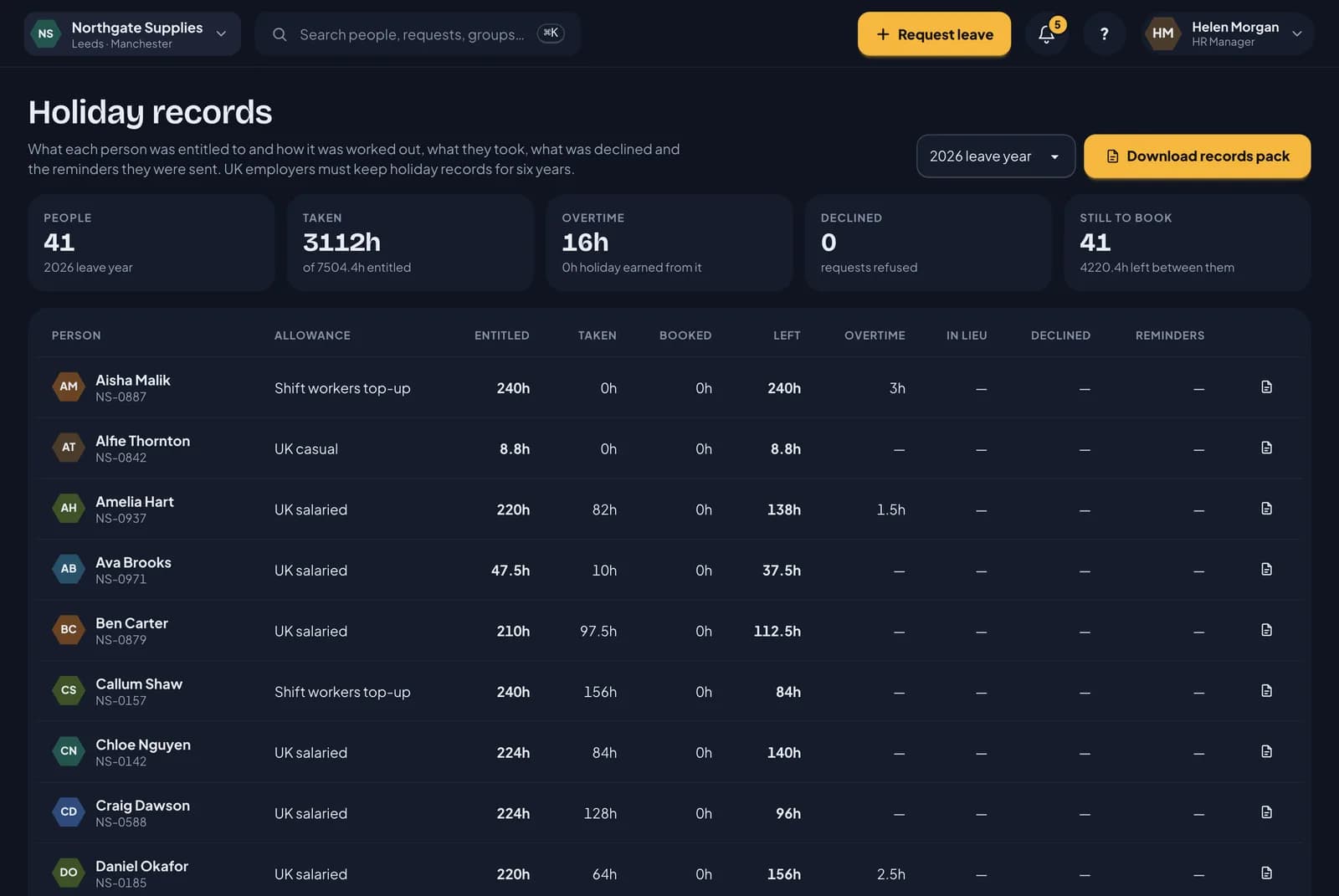
UK employers must keep holiday records for six years. RotaTiger keeps them as you go, ready to download in one click.
- A holiday records page for each leave year: what everyone was entitled to, what they took and booked, overtime, time off in lieu, declined requests and reminders sent.
- The records pack is a zip of spreadsheets for each year, covering everyone or one person. It shows how each entitlement was worked out, every booking and who approved it, every declined or cancelled request with its reason, carry-over, overtime and anything owed in lieu when someone left.
- The “book your time off” and carry-over reminders RotaTiger sends are kept in the audit log, so you can show people were encouraged to take their leave.
- The payroll export is in hours. It lists leave by day and type, and overtime paid or banked. For each person it adds their average weekly overtime and hours over the last 52 paid weeks, and how many of those weeks had any.
- Mark anyone paid rolled-up holiday pay, and the payroll export flags it.
- RotaTiger holds hours, not pay rates. Your payroll provider turns the hours into holiday pay.
Rules you set once
Set your policy once and let RotaTiger apply it the same way every time.
- Notice periods, longest stretch in a row, how many can be off in a group, blackout dates.
- Each rule can warn the approver, block the request, add HR as a second step, or approve automatically.
- Scope rules to particular leave types and groups.
- Built-in reminders: carry-over expiry, a use-it-or-lose-it nudge in September, and fit notes from day eight.
Leave types and allowances
Eleven ready-made types, from annual leave and sickness to training and sabbatical. Add your own with any colour and an icon.
- Private types show as “Away” to colleagues.
- Training budgets in hours, counted as people book.
- Carry-over with a cap and an expiry date. The oldest hours are used first.
- Time off in lieu: give someone hours back, such as eight for working a Saturday, or let them bank approved overtime. It never touches their allowance.
- Allowance policies for salaried staff, casual accrual, shift top-ups and US PTO.
- A personal allowance for anyone on a different contract, such as 27 days. Pro rata for starters and leavers, like any other allowance.
- Leave years from any date you choose, such as January, April or October, or from each person’s start date.
Groups, cover and clashes
People can sit in any number of groups: a department, a location, several teams.
- Each group sets minimum cover per weekday or per shift, and how many can be off at once.
- Group owners can edit their own group’s cover without being HR.
- A staffing score per group for the next 30 days: good, tight or at risk.
- Cover below minimum is flagged on the request, the dashboard and the wallchart, and emailed to managers.
Sickness and recorded absence
Record it fairly, keep it private, and follow up at the right time.
- Employees can report their own sickness. Managers and HR record absence for anyone who can’t.
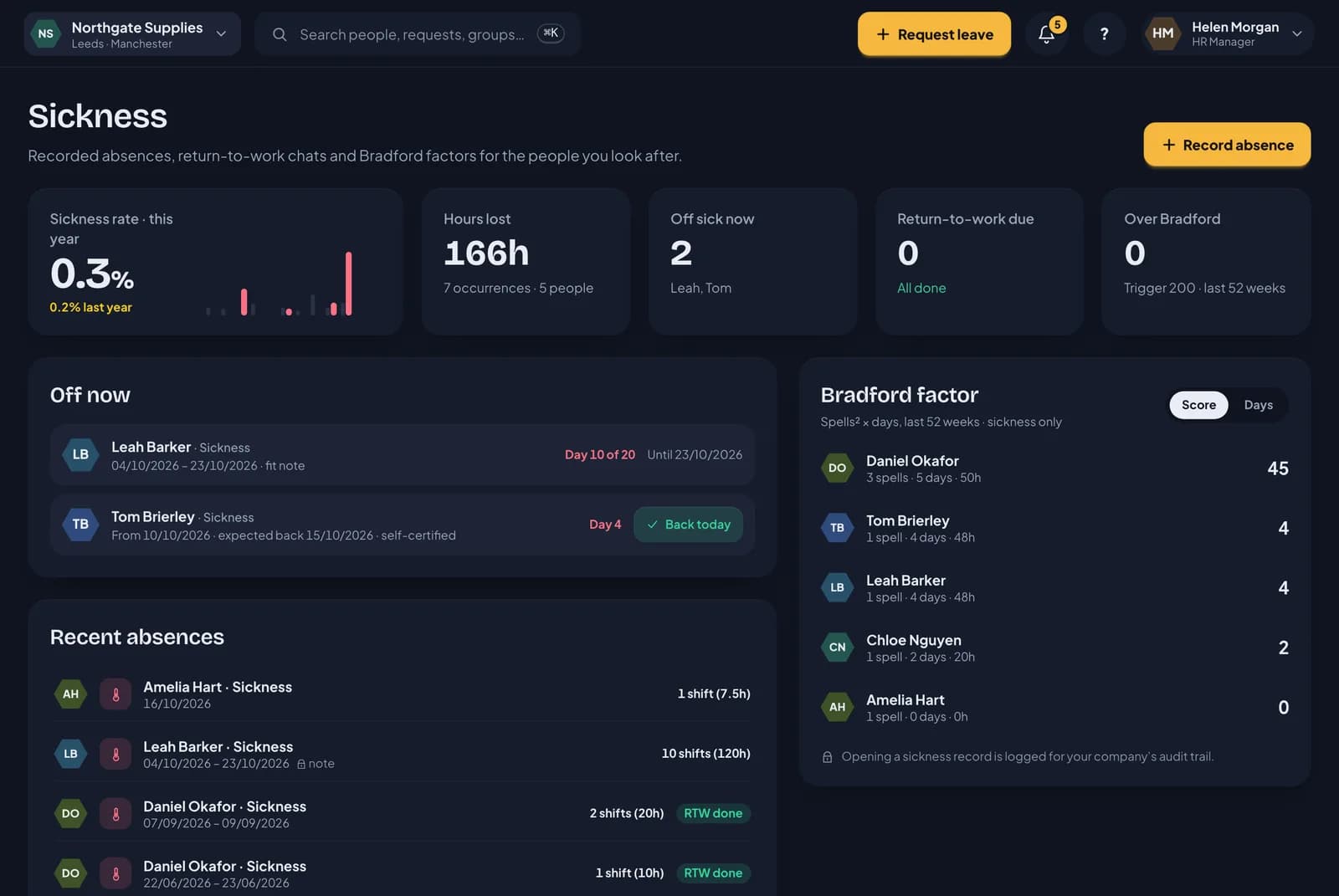
- Open-ended absences are costed day by day and close with a return-to-work reminder.
- Fit note reminder on day eight. Fit notes upload by drag and drop and are stored privately.
- Private notes visible only to the person, their manager and HR, with every view in the audit log.
- Bradford factor over a rolling 52 weeks, with a trigger you set.
- Sickness records deleted automatically a set number of years after someone leaves (six by default).
Getting started
Register and the setup wizard opens. Six steps, each saved as you go.
- Pick UK or US, and the wording, formats, holiday calendar and default policy follow.
- Locations from a postcode, with the next bank holidays shown.
- Starter patterns for a standard week, compressed hours, a 12-hour rota and casual shifts.
- Import people from CSV or Excel. Columns are matched and every row checked before anything is saved.
- Moving from Timetastic? Upload your Timetastic export and your people, departments, yearly allowances, brought-forward days and every booking come across. Each leave year’s balance is checked against Timetastic’s figure.
- Invite everyone now, schedule it, or send a few first.
- A setup checklist, sample leave you can remove in one click, and a short welcome tour for employees.
Notifications
The right people hear about the right things, where they already are.
- Email, in-app, and Slack or Teams, set per event. HR sets defaults and each person can turn things down.
- Emails that need action can’t be switched off.
- Retries and bounce handling. A bouncing address is flagged on the person’s profile.
- Slack and Teams post to a company channel, with buttons that open the request in RotaTiger.
- A 07:30 weekday digest for managers, in your time zone.
Dormant and archived staff
For people who are away for a long stretch, such as seasonal staff or a career break, and for leavers whose records you no longer need.
- Make someone dormant and they can’t sign in, drop off the wallchart and approvals, and aren’t charged.
- Re-enable them when they’re back. There’s a 7-day wait after making someone dormant.
- Six months after going dormant, or six months after their leaving date, people are archived and marked for deletion.
- Archived records are kept for at least 6 years, the time UK law says holiday records must be kept. Restore someone at any point before their data is deleted.
- Before a record goes, download everything you hold on that person as spreadsheets in a zip. Add a password if you want it encrypted.
Security, data and accessibility
Built so HR can trust it and everyone can use it.
- Sign in with a password, a one-time email link or Google. You choose which are allowed.
- Two-step verification with recovery codes. Require it for HR, admins and the owner.
- An audit log of who changed what, with filters.
- Export everything as CSV in a zip, or one person’s data, with an optional AES-256 zip password.
- Automated WCAG 2 AA checks pass on every screen. Keyboard friendly, with reduced motion respected.
- Belong to several companies and switch from the top bar, each with its own logo.
Try it with your own team.
Free for everyone during the beta. The setup wizard opens as soon as you register.