Staff rotas and holidays. Made easy.
Plan shifts, manage time off and keep everyone up to date, all in one place. Your team gets iPhone and Android apps too.
- Price locked for 2 years
- Bring your Timetastic data
- No contract, leave anytime
Free for 6 months
Every feature, for any size of team. After that it’s £1$1 per person per month, plus VAT. Sign up with your email. No credit card required today.
Create your free accountSee RotaTiger for a team like yours.
Each page shows how RotaTiger handles the shifts, hours and rules your team works to.





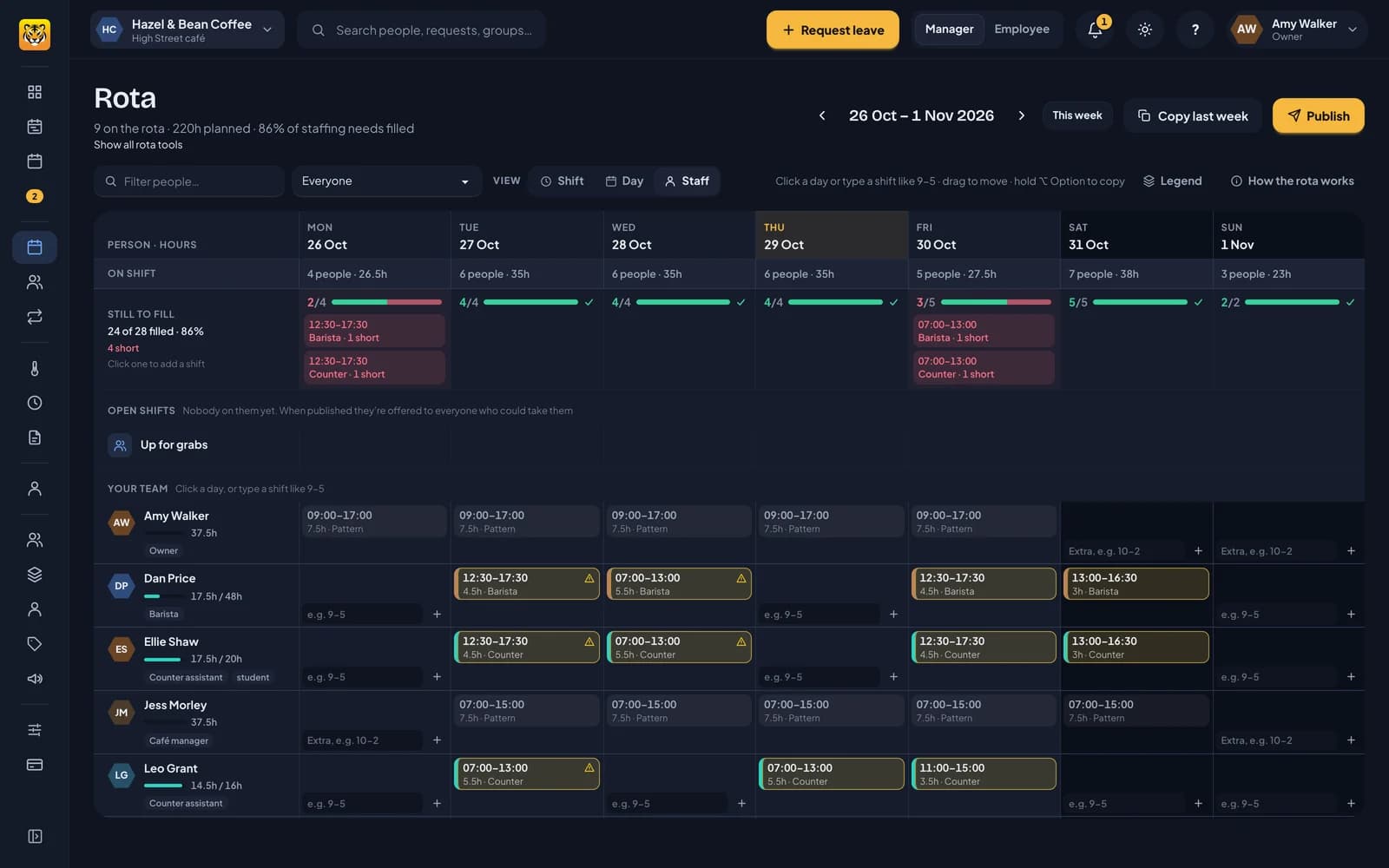
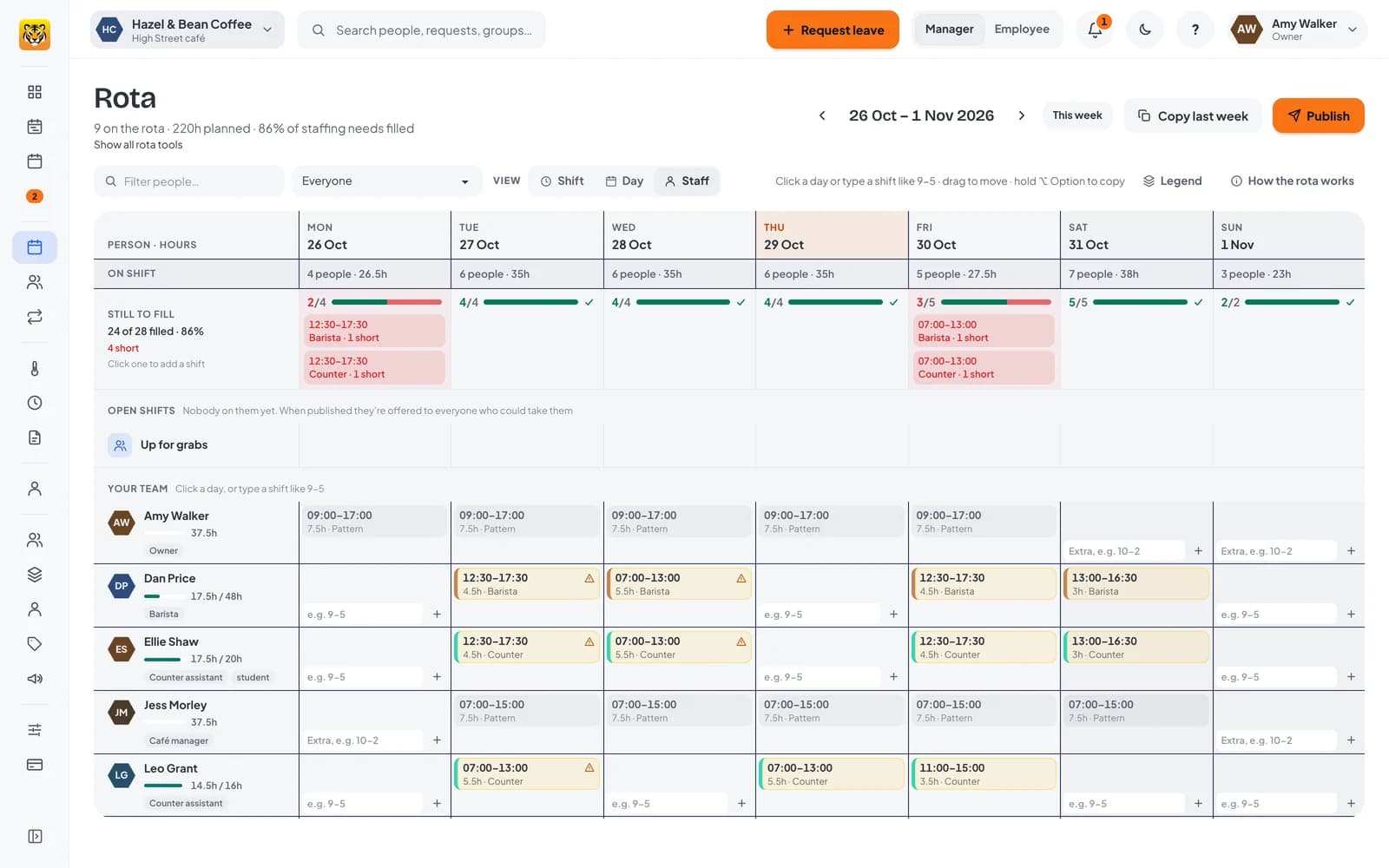
Plan the week in minutes. Tick who’s working, click Arrange.
RotaTiger puts them into the shifts you still need, with the right role and break, and checks each one as it goes: leave, availability, weekly caps and rest. Prefer to do it yourself? Type 10-2 into a day.
- Tick the people who are working.
- Click Arrange.
- See who went where and why, then publish. Undo takes it all back.
Built for teams whose hours don’t fit nine to five.
Put each person on the way they really work. The rota plans around it, and their holiday follows the hours they actually do.
Shift teams and 12-hour rotas
Day and night crews on a rotating cycle. The editor warns when a day or night isn’t covered, and nights belong to the day they start.
Casual and part-time staff
Plan shifts week by week. Staff say when they can’t work and take open shifts. Casual staff build up 12.07% holiday on every hour.
Compressed hours
Four 10-hour days, with a fair answer when a bank holiday lands on a day off.
Works for your office team too
37.5 hours Monday to Friday, part-time or Tuesday-to-Saturday retail. Set the pattern once and there’s no rota to plan.
Leave for fixed hours →Shift crews, casual staff and the office team on one login. Free for your first 6 months.
No credit card required today.
Their rota, on their phone.
A staff app made for people who don’t sit at a desk. They see their next shifts, pick up open ones, say when they can’t work and book time off, without hunting through menus. Line managers approve from the same app.
- Their rota for the next four weeks, with your notes, and a notification when it’s published.
- Open shifts they can take straight from the notification.
- Set when they can’t work, and when they’d prefer to.
- Ask a colleague to swap a shift. Their manager approves it, with cover checked first.
- Book time off in three taps. Only the shifts they’d work come off.
- Sign in with a code sent to their email or mobile, then Face ID. No passwords.
- Home screen widgets for the next shift and holiday left, on iPhone and Android.
Holiday and sickness, already on the rota.
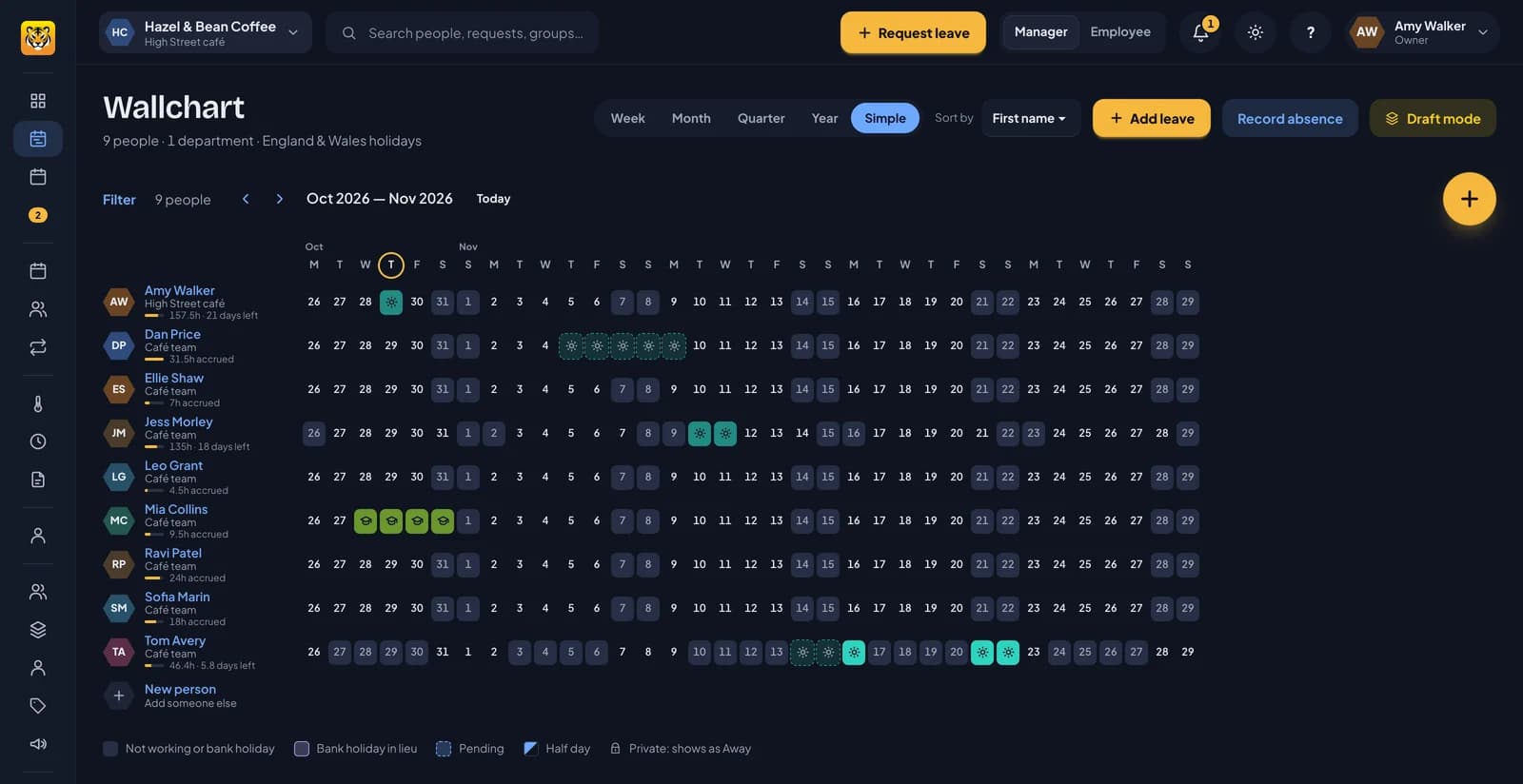
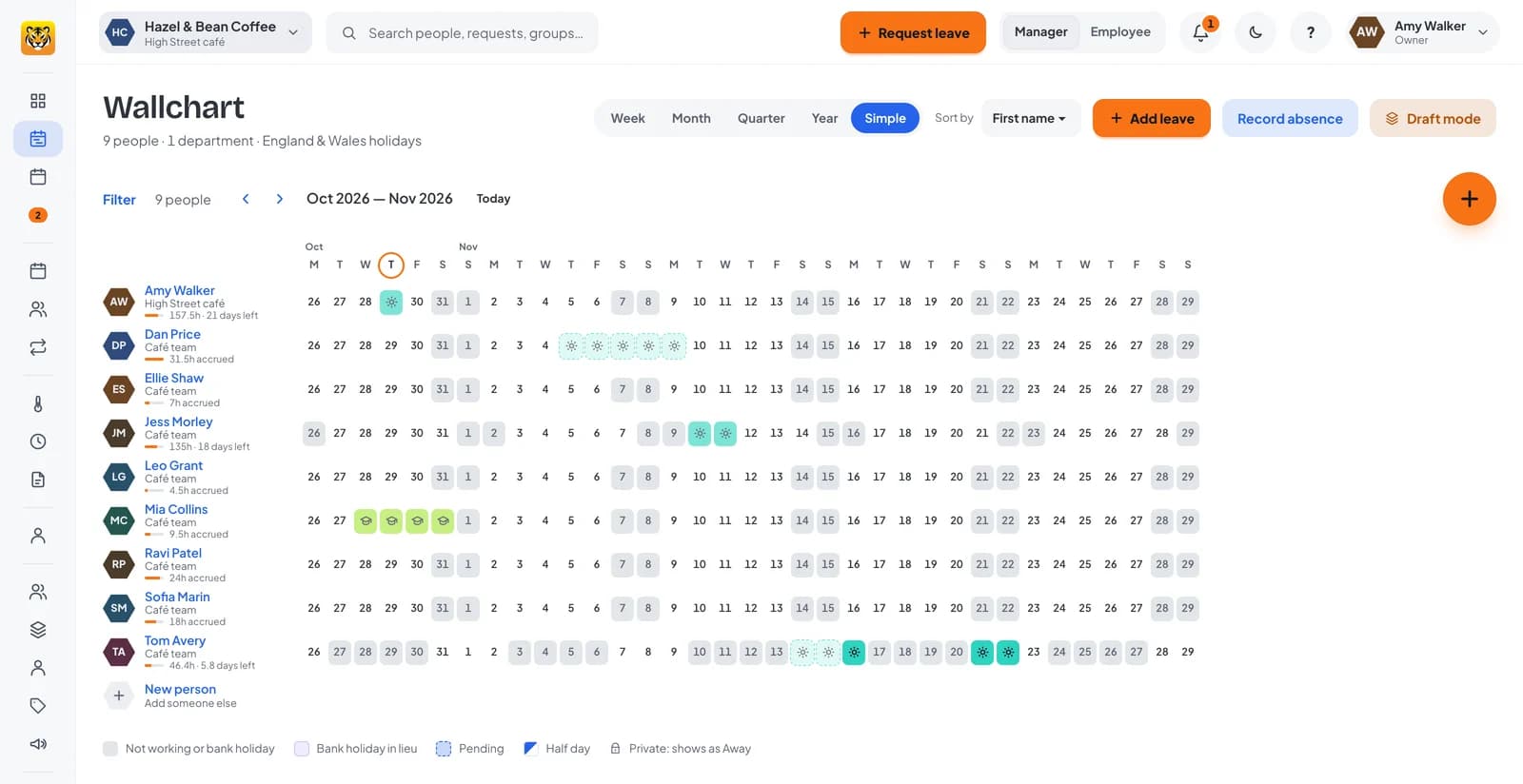
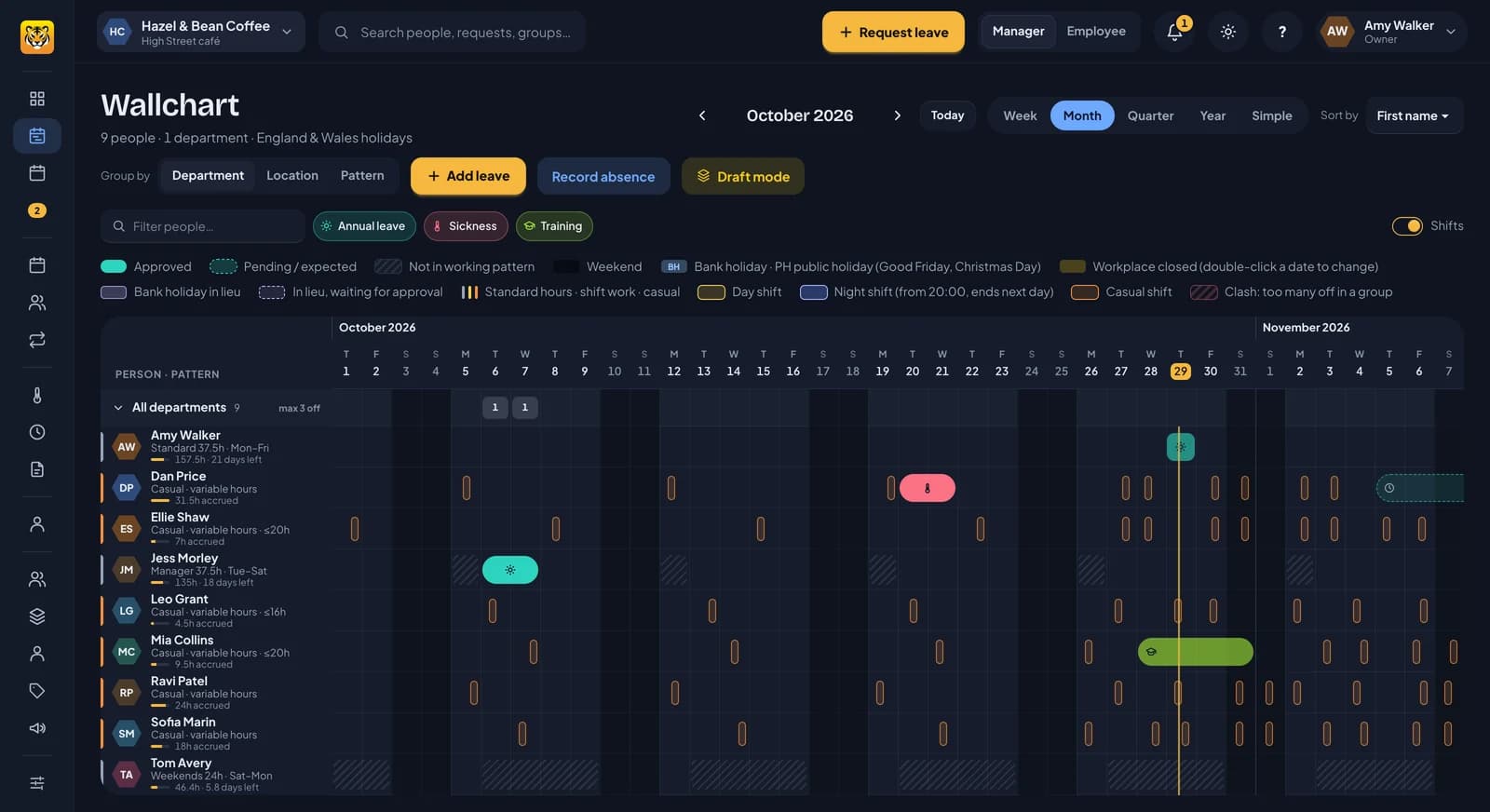
No holiday spreadsheet to keep in step with the rota. Staff book time off in RotaTiger and their manager approves it. It’s on the rota and the wallchart straight away.
- Everyone’s leave, sickness and shifts on one wallchart, for a week, a month or the whole year.
- Each group sets its minimum cover, checked before anyone approves time off.
- Staff can book holiday weeks ahead, before the rota is out.
- Sickness shows as “Away” to colleagues. The server removes the reason.
Holiday counted in the hours people actually work.
Counting holiday in days breaks the moment someone works four long days or a rota of nights. RotaTiger works out each booking from the shifts that person would have worked, so nobody argues over what half a day is worth. Then it shows it the way they think: “14 days (140h)” or “2 shifts (24h)”.
- Part days are booked in hours, such as a two-hour dentist appointment.
- Statutory 5.6 weeks worked out from average hours. Rounded up, never down.
- Pro-rata for starters and leavers, worked out for you.
- Change someone’s pattern mid-year and future bookings are re-costed. They’re told if anything moved.
- Amelia37.5h, Monday to Friday37.5h
- JakeFour 10-hour days40h
- Lewis12-hour rota, 2 shifts that week24h
Lewis is only charged for the two shifts he’d have worked. His days off that week are free.
RotaTiger beside Timetastic, Rotageek, RotaCloud and Deputy.
Seven rows and the price from our full comparison. We checked each product on its own website. Where a site doesn’t say, we don’t guess.
| Feature | RotaTiger | Timetastic | Rotageek | RotaCloud | Deputy |
|---|---|---|---|---|---|
| Rota builder | Yes | Partly, or at extra costRota & Time Clock | Yes | Yes | Yes |
| Pro rata for part-timersFrom the days and hours each person works | Yes | Partly, or at extra costStarters and leavers only | Not stated on their site | Partly, or at extra costStarters and leavers only | Partly, or at extra costPro plan or HR add-on |
| Staff review the draft before it’s published | Yes | Not stated on their site | Not stated on their site | Not stated on their site | Not stated on their site |
| Fairness viewWho keeps getting the lates and weekends | Yes | Not stated on their site | Yes | Not stated on their site | Not stated on their site |
| Fatigue checksWarnings for tiring patterns, like long runs of nights or no weekend off | Yes | Partly, or at extra costRest rules only, Rota & Time Clock | Partly, or at extra costRest, hours and days-worked rules | Not stated on their site | Partly, or at extra costHours and rest limits in stress profiles |
| Staff mobile app | Yes | Yes | Yes | Yes | Yes |
| Import from Timetastic | Yes | Not applicable | Not stated on their site | Not stated on their siteCSV import | Not stated on their siteCSV import |
| Price | Free for 6 months, then £1.00 per person a month | £1.20 (Business) or £2.00 (Pro) per user a month. Rota & Time Clock £4.00 | No published prices. Contact sales | £10 (Standard) or £15 (Pro) a month for 1 to 5 employees, rising with team size | £3.60 (Lite), £4.75 (Core) or £7.25 (Pro) per user a month. £20 a month minimum |
YesNoPartial Partly, or as an add-on or higher planSoon Coming soon Not stated on their site
Checked October 2026. * Not stated on their site: we couldn’t find it on their own pages, so we haven’t guessed. See every source.
Rota and holiday in one login, free for your first 6 months. No credit card required today.
Easy to switch to, and easy to leave.
Plan real weeks with your own team before you decide whether to pay. If it isn’t for you, cancel and take your records with you.
Try it on a sample café
Open Hazel & Bean Coffee, a café with its rota already planned, and try everything before you add your own team.
Open the sample café →Bring your Timetastic data
Upload each person’s download from Timetastic to bring across their allowances, carried-over days, time in lieu and bookings. You see a preview before anything is saved.
Your price locked for 2 years
£1$1 per person per month, plus VAT, fixed for 2 years from your first payment.
Leave whenever you like
No contract. Cancel your plan in Billing at any time, and export your people, leave, sickness, balances and overtime as CSV in one zip.
The price lock covers the price per person for 2 years from your first payment. VAT follows the law. You still only pay for active people.
Check tiring shift patterns, and connect your other systems.
Fatigue checks
Turn them on to flag long runs of nights, early starts after a late, too little recovery and missing weekends as you plan. Warnings explain why and never block publishing.
How fatigue checks work →API and webhooks
Read people, leave and shifts, book and approve leave from your own systems, and hear when a rota is published. For integrations you or your provider build.
The API guide →AI assistants
Ask Claude, ChatGPT or another MCP app who’s off next week or whether you could take a fortnight in December. It asks before it changes anything.
Connect an AI assistant →Say yes from your inbox.
The line manager gets the request with what they need to decide: the hours, the balance left afterwards and whether cover holds. One click approves or declines. The links are single-use and last seven days, and every check still runs.
- Delegates cover approvals while a manager is away.
- HR only steps in when one of your rules asks for it.
- You have ten minutes to undo a decision.
From sign-up to your first published rota.
Register
Your company, UK or US, and your own login. No credit card required today.
Add how you work
Locations from a postcode, and a starter pattern for each team. You can skip this and come back later.
Bring your people
Import them from CSV or Excel, or from Timetastic. Invite them now or on a set date, or start with a few.
Plan your first week
Set your staffing needs, let Auto-fill draft the week, check it, then publish.
The setup wizard has six steps and saves as you go. You can skip every step after the first and finish it later.
No credit card required today.
Private where it matters. Yours to take with you.
- Sickness shows as “Away”. The server removes the reason for anyone who shouldn’t see it.
- Two-step verification with an authenticator app and recovery codes. HR can reset it. Leave it off, make it optional, or require it for admins or everyone. How it works →
- Export your records as CSV in one zip, whenever you like: people, leave, sickness, balances, overtime and the audit log.
RotaTiger’s pricing guarantee. All features are included in one subscription price: £1$1 per person per month.
Free for 6 months. Then £1$1 a person.
Every feature, for your whole team, free for your first 6 months. After that it’s £1$1 per person per month, plus VAT, for active people only. Leavers stop counting the day after they leave, and dormant people aren’t charged.
No credit card required today.
Questions
Managers plan shifts on a grid that shows everyone’s leave, sickness and availability. Publish the week and staff get their shifts by email and in the app. Each shift is checked against leave, sickness, weekly caps and rest as you place it. Set your staffing needs and Auto-fill drafts the week. Shifts nobody’s on go out as open shifts. You can send the week to staff to check before it’s final, and record overtime when you publish for anyone planned over their hours. RotaTiger works in hours, not wages. It isn’t a payroll system. The Rota page on this site walks through all of it.
No. Register and the six-step setup wizard opens. It saves as you go, and every step after the first can be skipped and finished later. Add your locations from a postcode and pick a starter pattern for each team. Import your people from CSV or Excel, or from Timetastic. Then invite everyone straight away or on a set date, or try it with a few people first.
Yes. In Timetastic, open Users, click the three dots next to a person and choose Download data. Upload that zip to RotaTiger. Their details, department, line manager, working days, allowance for each leave year, brought-forward days, time in lieu and bookings come across. You see a preview before anything is saved. Afterwards, each leave year’s balance sits next to the figure from Timetastic. Repeat for each person. Uploading the same file twice doesn’t duplicate anything.
Yes, that’s what it’s built for. Rotating day and night crews, casual and part-time staff planned week by week, and four 10-hour days all work. Holiday is stored in hours and each booking is costed from the shifts that person would have worked.
Yes. Put them on a fixed pattern, such as 37.5 hours Monday to Friday, and their week is set without planning a rota. Leave, sickness and approvals work the same way for everyone.
Yes. Staff can ask a colleague to swap a shift, and their manager approves it with cover checked first. Shifts with nobody on them go out as open shifts. Either the first to take one gets it, or people ask and the manager chooses.
Yes, for iPhone and Android. Staff see their rota, take open shifts, set their availability and book time off in three taps, and line managers approve from the same app. Anyone who’d rather not install it can use RotaTiger in any phone’s browser.
Sickness is private. Colleagues see “Away”, and the server removes the reason before it reaches anyone who shouldn’t see it. Every view of a private sickness note goes in the audit log. Admins can make two-step verification optional, or require it for HR and admins or for everyone. And you can export all of it as CSV whenever you like.
Nothing for your first 6 months, with every feature switched on. After that it’s £1$1 per person per month, plus VAT. You only pay for active people: leavers stop counting the day after they leave, and dormant people aren’t charged. Meanwhile, tell us what’s missing. It may well end up in the product.
Yes, if you turn on fatigue checks in Settings. RotaTiger then flags long runs of days or nights, early starts, too little recovery, switching between days and nights, and weeks without a weekend off, using limits based on the UK HSE’s shift-work guidance that you can change. They’re warnings, never a block on publishing, and Auto-fill avoids them. They help you plan; they aren’t a medical assessment or a fatigue risk assessment.
Through its API and webhooks, which you or your provider connect: read people, leave and shifts, book and approve leave, and hear when something changes. There aren’t ready-made connectors to named payroll or HR products. You can also connect AI assistants such as Claude and ChatGPT over MCP.
It keeps the time side: every request, refusal and carry-over, overtime claims, and 12.07% accrual for irregular hours. HR can download a six-year holiday records pack and a payroll export with each person's 52-week overtime average. RotaTiger doesn't run payroll, so your payroll provider works out the pay from those hours. Our blog explains the Fair Work Agency changes coming in 2027.

Plan next week’s rota in RotaTiger.
Free for your first 6 months, then £1$1 per person per month. No credit card required today, and the setup wizard opens as soon as you register.