

Restaurant rota software for lunch, dinner and late closes.
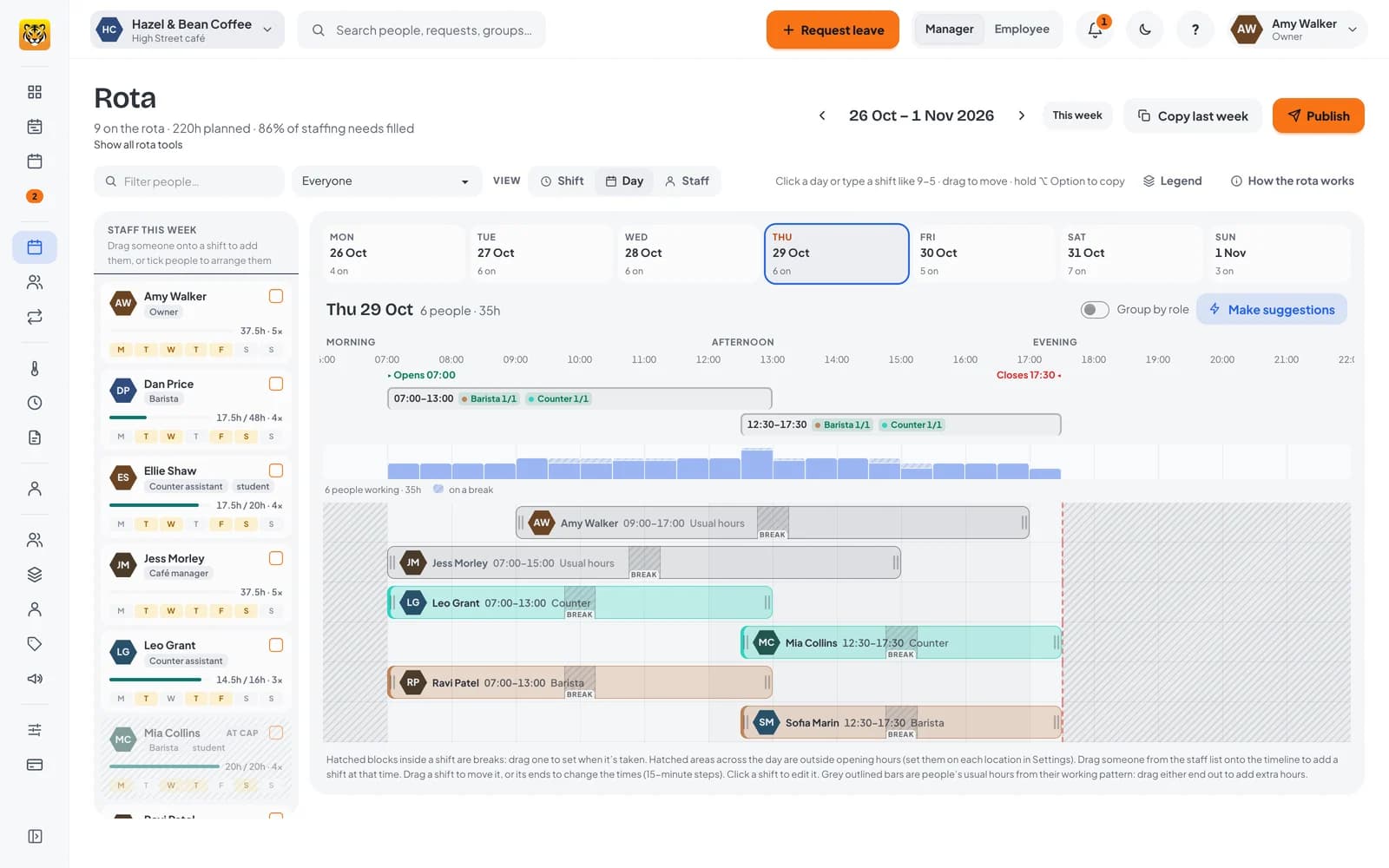
Plan split shifts, late finishes and the Friday rush on one screen, with checks for breaks, weekly hour limits and rest between working days. When someone can’t work, offer an open shift to everyone who could cover it.
Free for your first 6 months, then £1$1 per person per month. No credit card required today.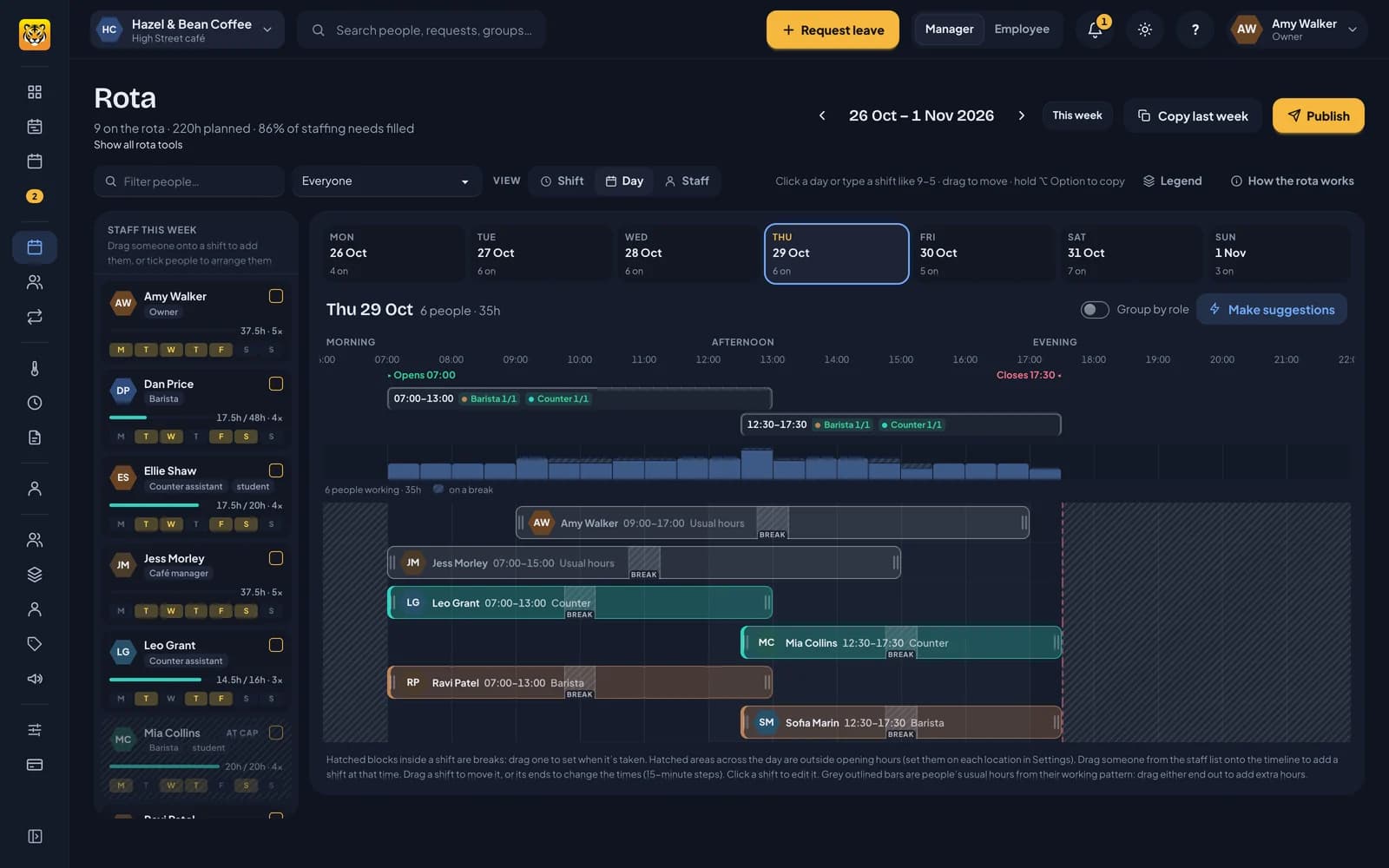
Built for the way a restaurant actually works.
Split shifts
Add lunch and dinner as two shifts on the same day. The gap between them isn’t flagged as a rest problem.
Late finishes
A shift that runs past midnight belongs to the day it starts, wherever it appears.
Breaks on every shift
Breaks follow your country’s rules or your own. Drag each break to the time it’s taken.
Checked as you plan
Each shift is checked against weekly hour limits, maximum shift length and rest between working days.
Open shifts and swaps
Post an open shift to everyone who could work it. Staff can also swap shifts with your approval.
Compare late and weekend shifts
Fairness compares each person’s late and weekend shifts with the team, and turns amber when someone repeatedly gets the same type.
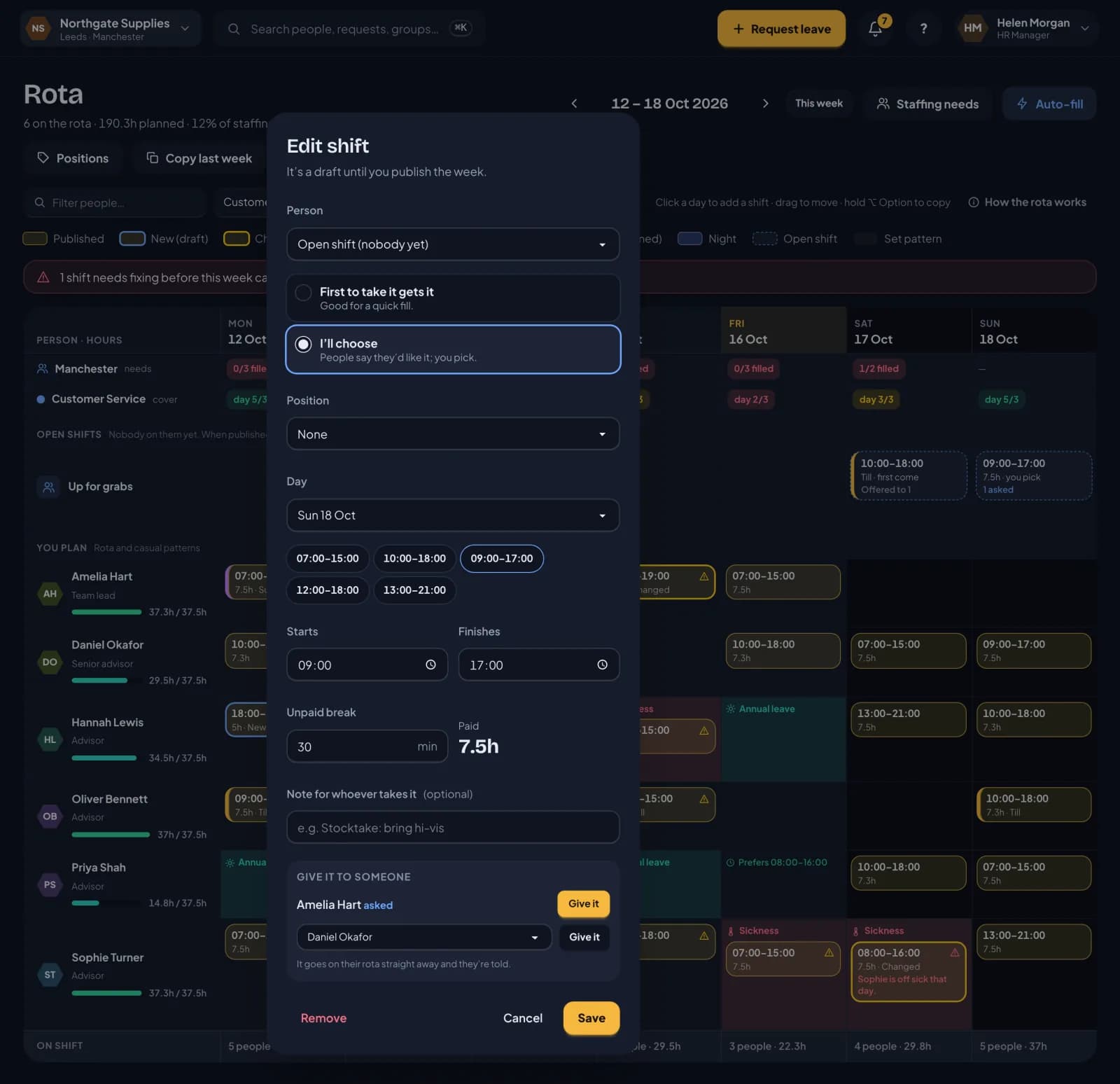
Someone can’t make it? Offer the shift.
Choose how to fill it: the first person to take it gets it, or people ask and you decide who gets it.
- Only people who pass every check are offered it, including checks for leave, weekly hour limits and rest since their last shift.
- Staff can take a shift or ask for it from their phone. Once assigned, it appears on the rota straight away.
- Colleagues can also swap a shift, with your approval and cover checked first.
See tiring patterns before the week goes out.
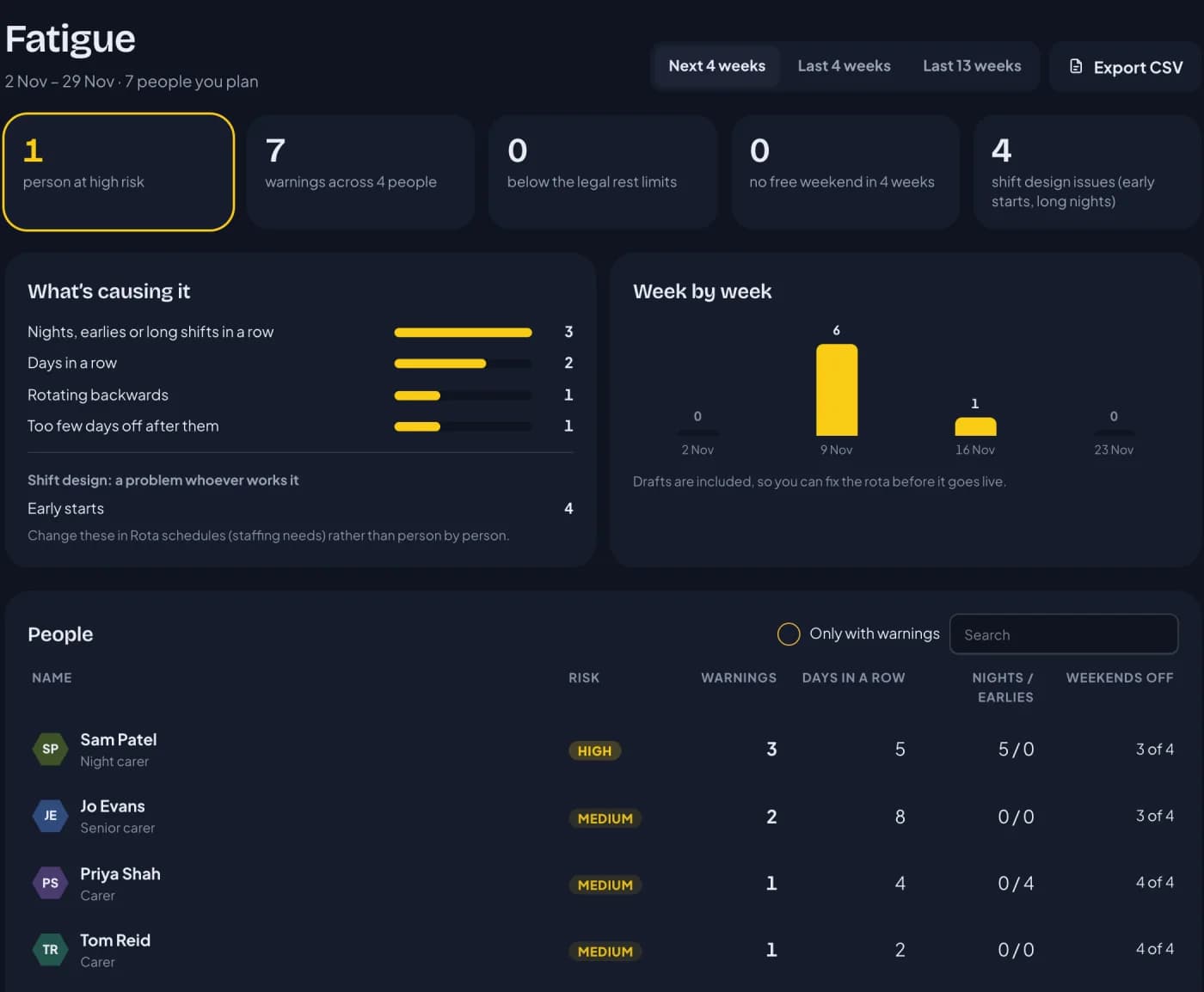
Turn on fatigue checks and RotaTiger flags long runs of shifts, short recovery and missing weekends as you plan, with the reason on each warning. They never stop you publishing.
- Use split shifts on purpose? Say so in the three-question set-up and they won’t be flagged.
- Late closes followed by early starts, and shifts that rotate backwards, are flagged.
- With fatigue checks on, Auto-fill won’t create a shift that would cause a warning.
- The Fatigue screen shows whose planned shifts trigger the most warnings, and why.
Their shifts, on their phone.
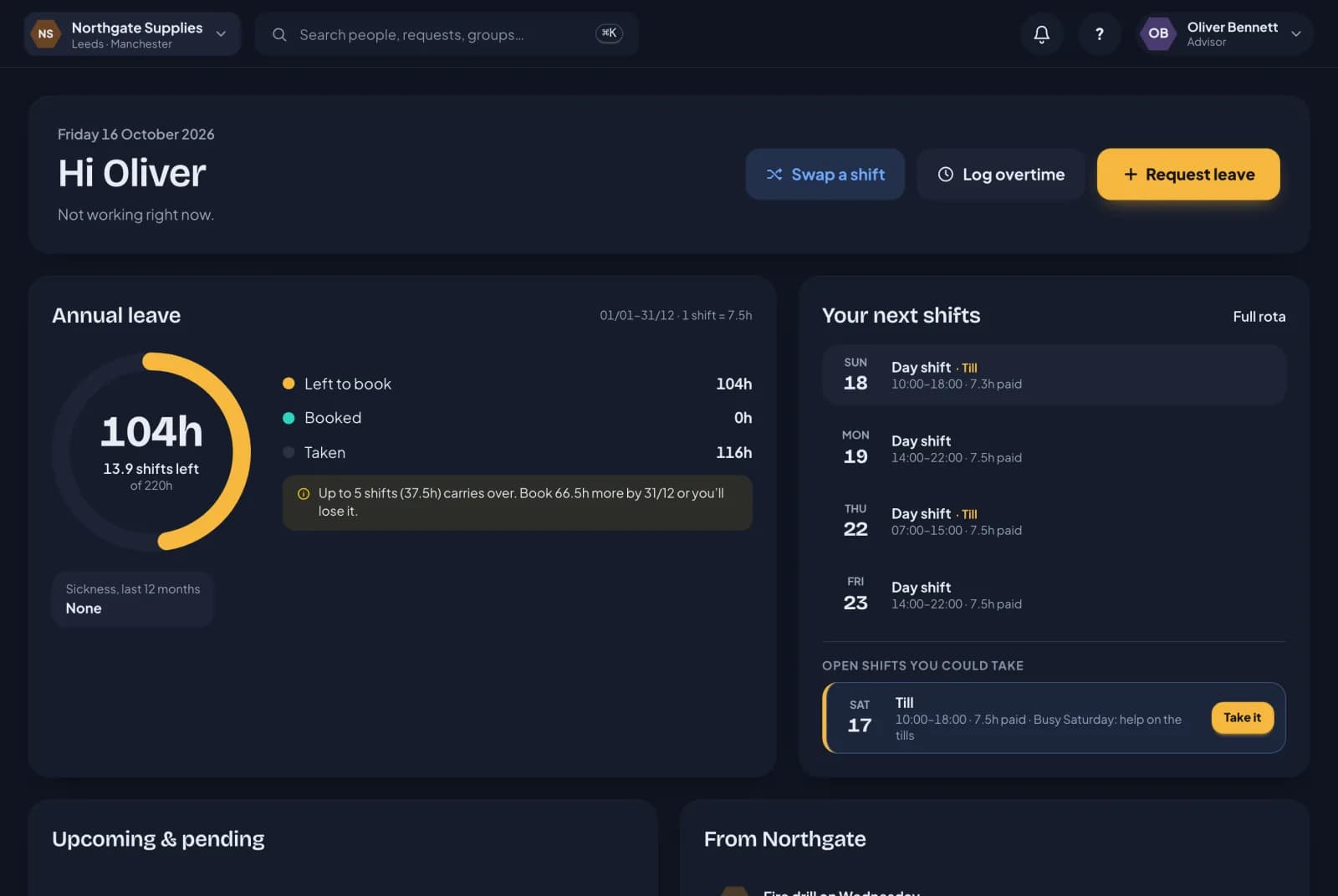
Everyone sees their next shifts with times, role and paid hours, any open shifts they could take, and their holiday balance.
- When you publish, each person gets one message listing their week.
- People who haven’t joined yet get their shifts by email.
- They set when they can’t work, and the rota warns you about a clash.
Try it before you change anything.
Explore the sample rota, or start planning for your own team. Nothing changes for your staff until you publish.
Open the sample café
Hazel & Bean Coffee has its rota already planned, so you can try everything before adding your own team.
Open the sample café →Bring your Timetastic data
Upload each person’s download from Timetastic to bring across their allowances, carried-over days, time in lieu and bookings. You see a preview before anything is saved.
Your price locked for 2 years
£1$1 per person per month, plus VAT, fixed for 2 years from your first payment.
Cancel and export your data
No contract. Cancel your plan in Billing at any time, and export your people, leave, sickness, balances and overtime as CSV in one zip.
The price lock covers the price per person for 2 years from your first payment. VAT follows the law. You only pay for active people.
Short guides for a restaurant rota.
- The Day view →Plan service hour by hour: drag people onto the rota, move shifts and set breaks.
- The checks on every shift →Weekly hour limits, rest between working days, breaks, leave and availability.
- Open shifts →Let the first person take an eligible shift, or choose from the people who ask for it.
- Staff availability →Know who can work lunch and who can only do evenings before you plan.
- Fatigue checks →Spot tiring patterns, with split shifts left alone if you use them on purpose.
Restaurant rota questions
Yes. Add two shifts on the same day. The rest check looks at the time between working days, so the gap between a lunch and a dinner shift isn’t flagged.
A shift belongs to the day it starts, so Friday’s 18:00 to 01:00 stays on Friday on the rota, the wallchart and in leave.
Yes. Staff ask a colleague to swap, and the manager approves it with cover checked first. Swaps show on the wallchart.
No. RotaTiger holds hours, not pay rates, so the rota shows hours planned against each person’s contract rather than wage costs. HR can download a payroll export with each person’s overtime for your payroll provider, who works out the pay.
Only if you want them to. Fatigue checks are optional, and the set-up asks whether you use split shifts on purpose. Say yes and they aren’t flagged. Everything else, such as long runs of shifts and missing weekends, is still checked.
Nothing for your first 6 months, with every feature switched on. After that it’s £1$1 per person per month, plus VAT, for active people only, with the price per person fixed for 2 years from your first payment.
Plan next week’s rota before Friday’s service.
Free for your first 6 months. No credit card required today.