
Sometimes you know you need someone but not who. An open shift is a shift with nobody on it yet. You plan it like any other shift, and when you publish, RotaTiger offers it to your team.
Adding an open shift
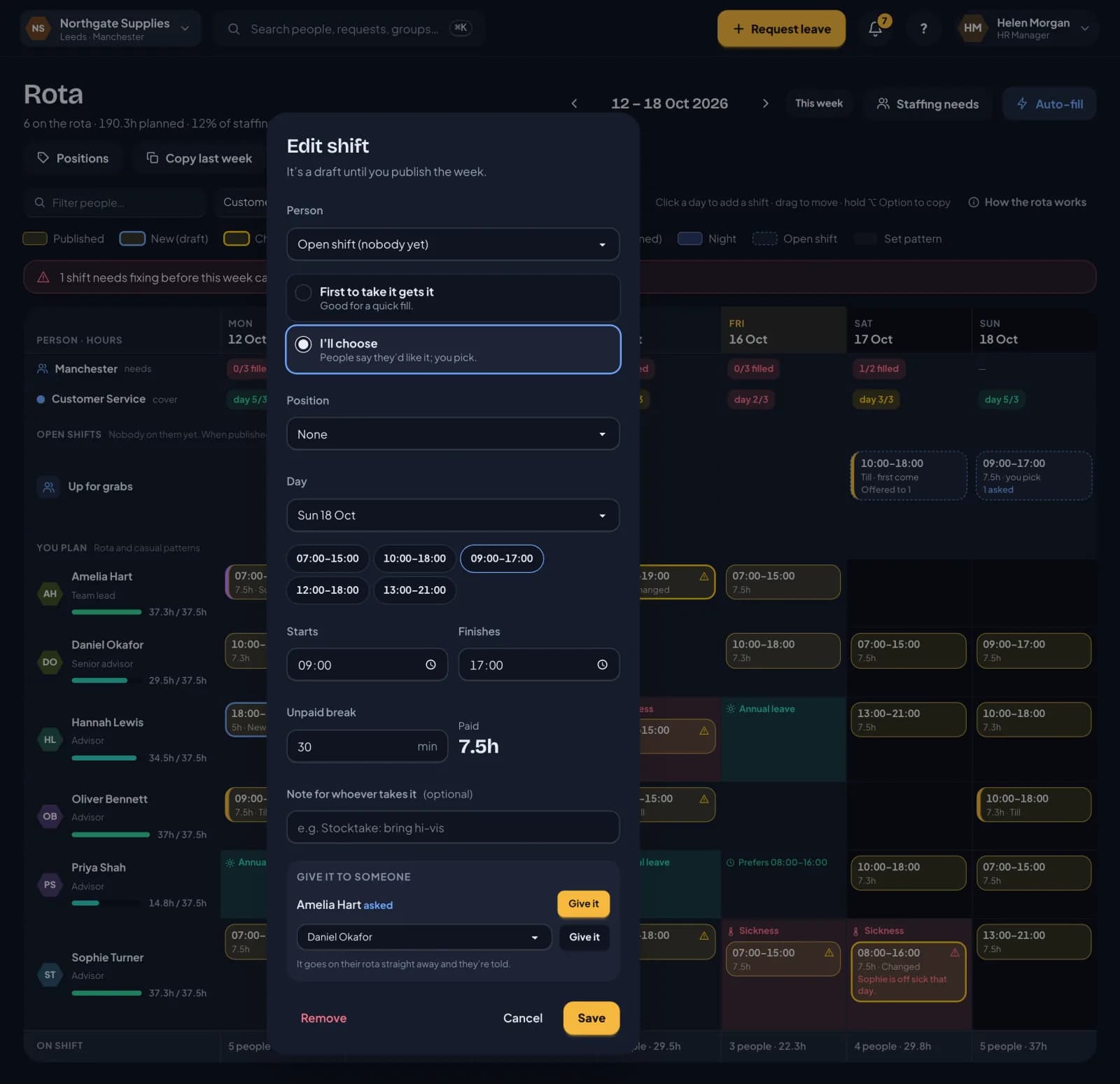
Open shifts sit in the Up for grabs row near the top of the rota. Hover over a day in that row and click + Open shift, or drag an existing shift into the row. In the shift editor, the person is set to Open shift (nobody yet).
You choose how it’s filled:
- First to take it gets it. Good for a quick fill. The first person to tap Take it has the shift.
- I’ll choose. People say they’d like it, and you pick.
You can give it a position, such as Till, and a note for whoever takes it, such as “Busy Saturday, please be in by 9:45”.
Who it’s offered to
When the week is published, the shift is offered to everyone you plan who:
- has signed in to RotaTiger
- could work its position, if it has one
- passes every rota check for that day, so nobody on leave, off sick, at their weekly cap or short of rest
They get a notification, and the shift appears under Open shifts you could take on their home screen, with Take it or I’d like it depending on how you chose to fill it. They can withdraw an ask while it’s waiting. If nobody could take it when you published, the shift on your rota says so.
Choosing who gets it
For an I’ll choose shift, the chip on the rota shows how many people have asked. Click it to see their names and click Give it next to the one you want. You can also give it to someone who hasn’t asked, from the list of everyone else who could work it.
Whoever gets it is told straight away, and it goes on their rota as a normal published shift. Nobody else can take it after that.
Open shifts from Auto-fill
When Auto-fill can’t find anyone for part of your staffing needs, it can add the gap as an open shift for you, with the reason it couldn’t fill it.
Next: staffing needs and positions.