
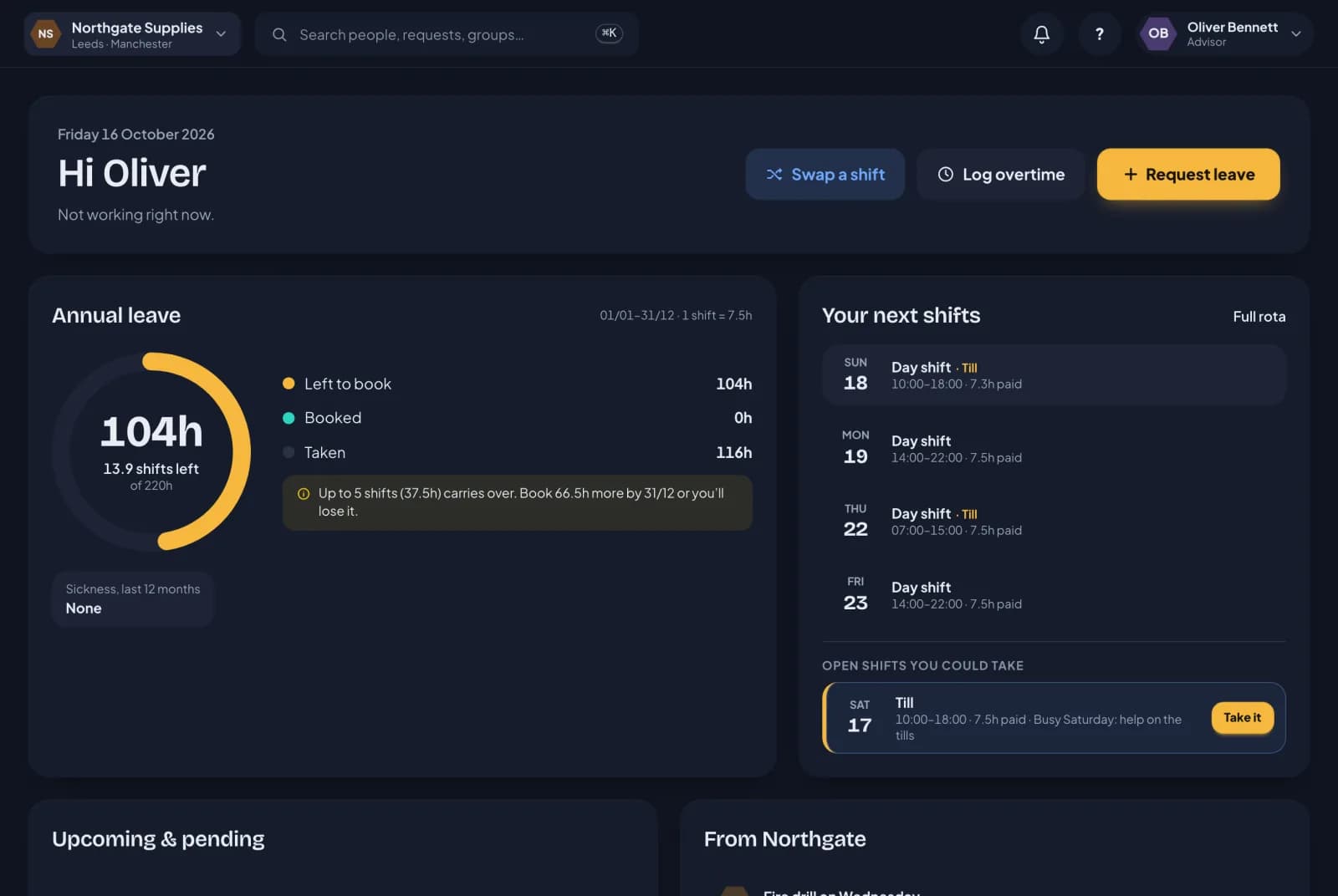
The rota isn’t much use if nobody sees it. Here’s what it looks like from the other side.
Everyone needs a login
Everyone on a rota needs to have signed in to RotaTiger, so they can see their shifts, take open shifts and set their availability. Until they have, the rota shows Not signed in yet under their name with a link to invite them, and won’t let you give them shifts. Invite people from People, and they set a password from the email.
Before you publish
If you send a week for review, staff get a notification and an email with their proposed shifts. A Can you do these? card at the top of their home page lists each shift as new, changed, as before or no longer theirs. They reply Looks good, or I can’t do this with a reason, and can change their mind until you publish. They reply on the web, from a computer or their phone’s browser.
When you publish
Each person whose shifts changed gets an email and a notification in RotaTiger listing their week. People whose week didn’t change aren’t bothered. They can switch rota emails off in their notification settings if they’d rather just check the app.
Their home screen
When someone on a rota opens RotaTiger, the first thing they see is Your next shifts: the next two weeks, each shift with its times, position and any note you left, and On now if they’re working at that moment. Days off are marked. Usual days from an unplanned week aren’t shown, so staff never mistake a guess for a published shift.
Below that is Open shifts you could take. Each one has Take it, for a first-come shift, or I’d like it, when you’re choosing. If they ask and later change their mind, they can withdraw. If something now stops them taking it, such as leave they’ve booked since, it stays in their list with the reason.
Availability and leave
Staff set their own availability from the Availability page: days and times they can’t work, and times they’d prefer. They book holiday as they always have, and approved leave keeps them off the rota for those days.
On their phone
<BrandName /> works in any phone’s browser today. iPhone and Android apps are coming soon, with My rota, open shifts and availability, and a push notification when their rota changes. Proposed weeks sent for review aren’t in the apps yet, so staff reply to those on the web.