
Most weeks look the same, but some don’t. A shop is quieter on a bank holiday Monday and busier the week before Christmas. And once you’ve planned a good week, you shouldn’t have to plan it again from nothing. RotaTiger has a template for each of these.
Staffing needs templates
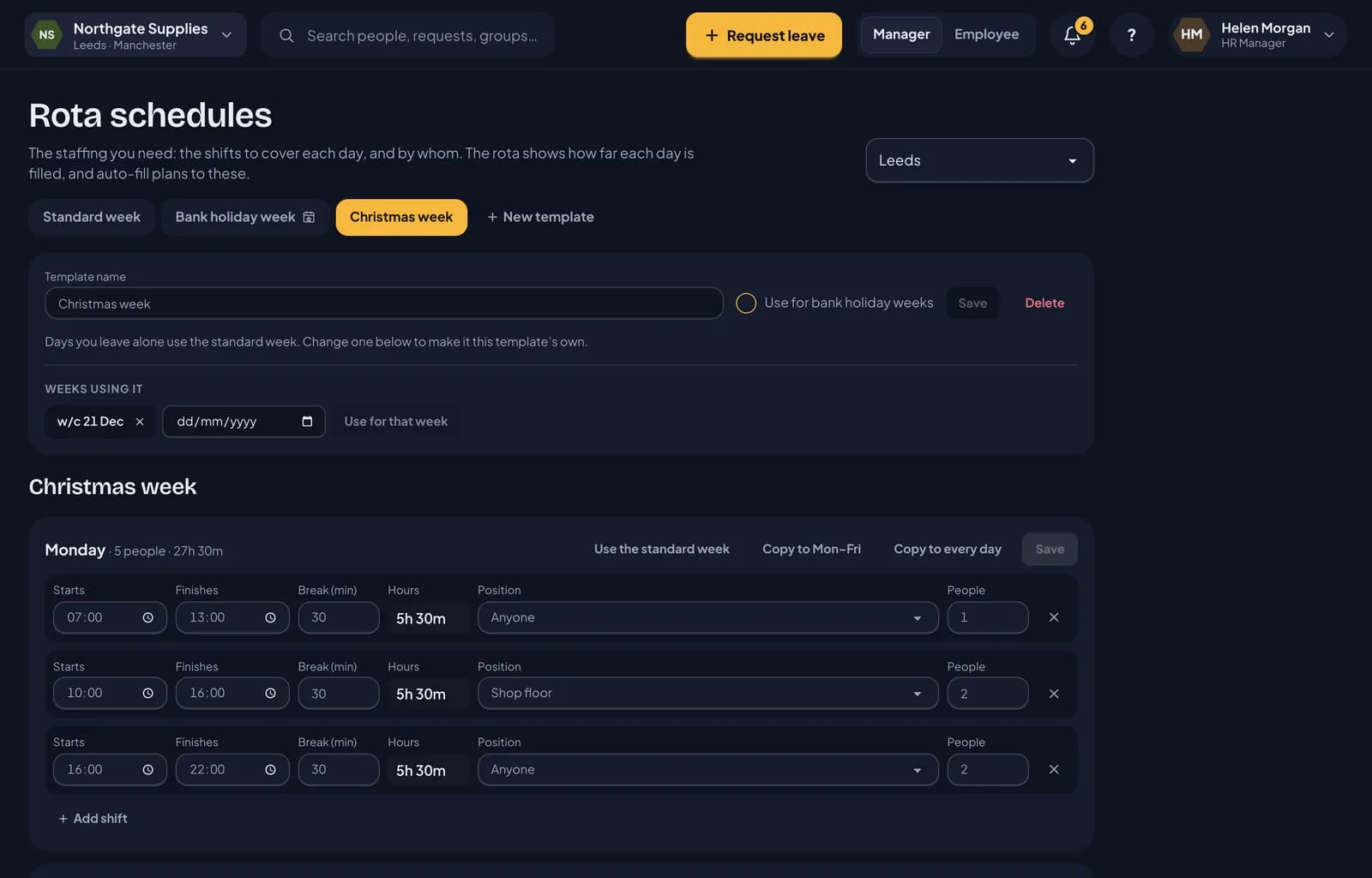
Your staffing needs are set in Rota schedules, and the week you set there is your standard week. Templates sit beside it as tabs, such as Bank holiday week and Christmas week. Click New template to add one.
A new template can start from the standard week or from a copy of another template. Then change only the days that are different. Every day you leave alone shows Same as the standard week and keeps following it, so when you change the standard week, your templates pick it up too. Use the standard week puts a day you’ve changed back.
For example, a Christmas week template might need fewer people on Christmas Eve, closing at 15:00, and nobody on Christmas Day.
Which week uses which
- Bank holiday weeks. Tick Use for bank holiday weeks on one template, and every week with a bank holiday uses it automatically. Bank holidays come from each location’s holiday calendar.
- Particular weeks. Under Weeks using it, pick a date and click Use for that week, such as the week commencing 21 December for Christmas week.
- Everything else uses the standard week.
On the rota, the week progress panel says which needs the week is Planned against. HR can pick a different template for that week there. Auto-fill plans to the same needs.
One-off changes for a single date, such as a late-night opening, still work as before. Add them under Dates that differ on the standard week.
Rota templates
A rota template is a saved week of shifts. Click Templates on the rota.
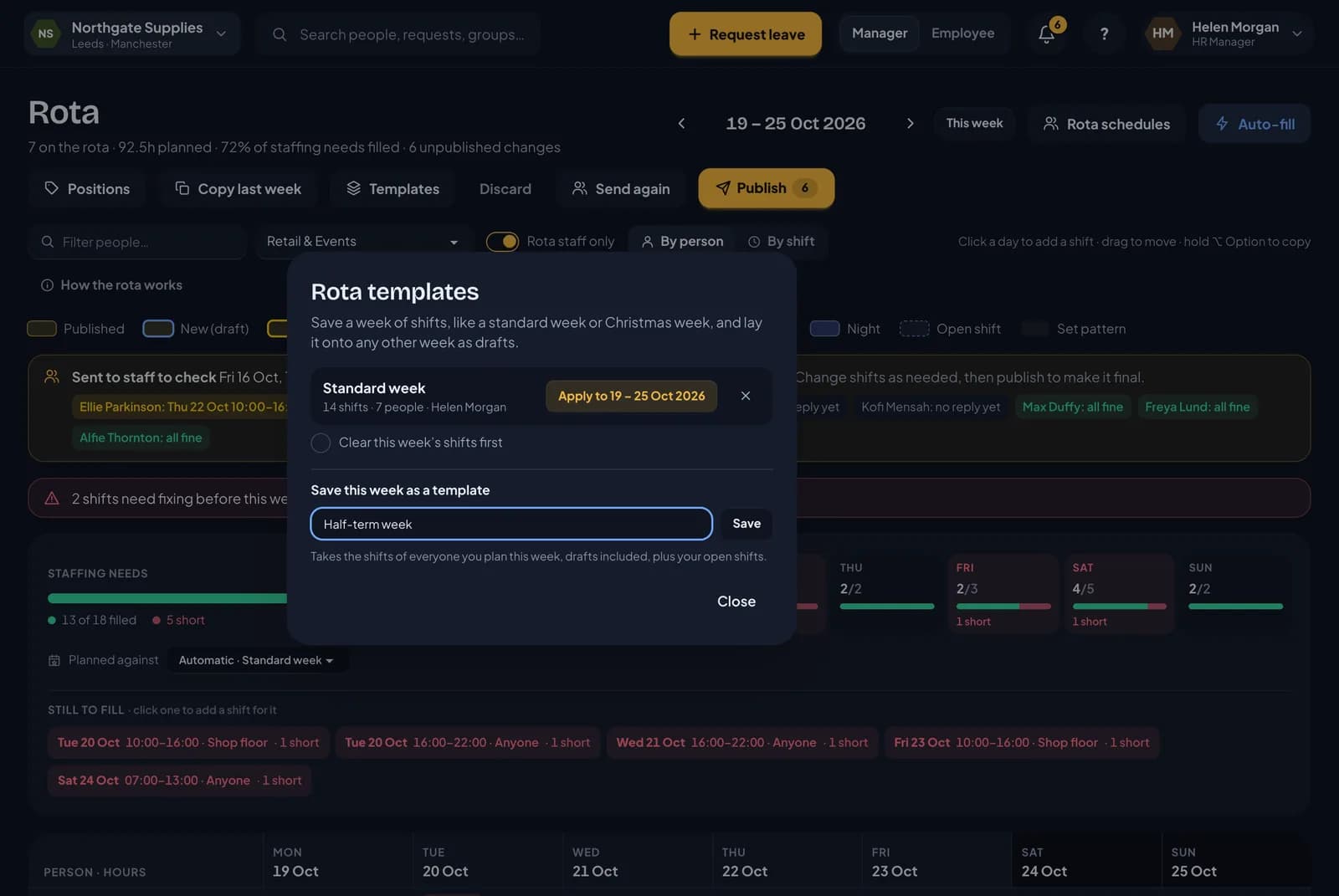
- Save this week as a template. Give it a name, such as Standard week or Half-term week. It takes the shifts of everyone you plan that week, drafts included, plus your open shifts.
- Apply a template to the week you’re looking at. Its shifts are added as drafts, on the same days of the week. Tick Clear this week’s shifts first to start from a clean week.
Applied shifts are checked like any other. Anything that no longer fits, such as a shift on a day someone has booked off, is skipped, and RotaTiger tells you what it skipped and why. Nothing reaches your staff until you publish.
Templates are shared, so other managers can apply them too. Only the person who saved a template, or HR, can delete it.
Next: staff availability.