
Availability is how your staff tell you when they can and can’t work, before you plan the week rather than after.
Setting availability
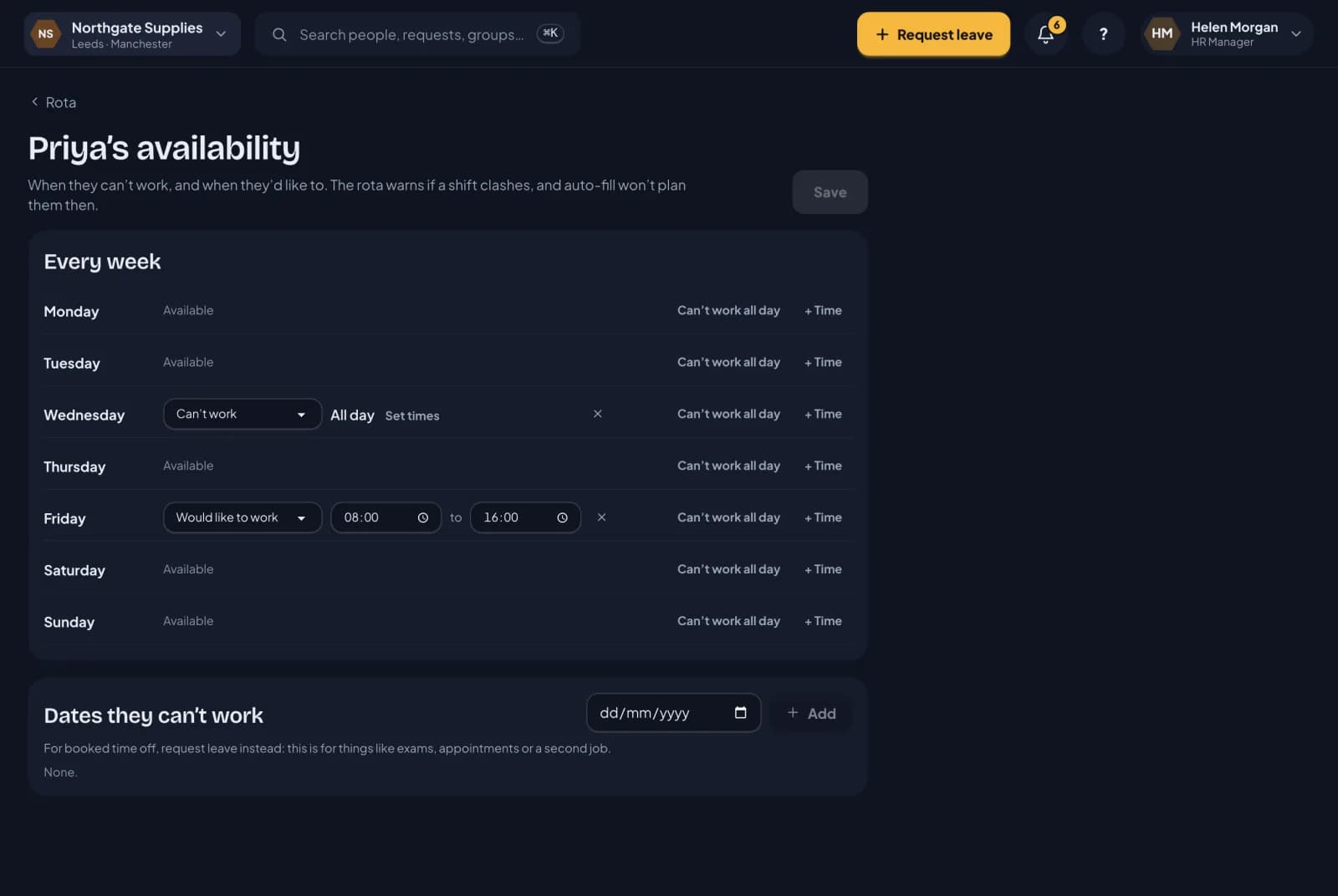
Everyone has an Availability page in RotaTiger. There are two kinds of entry:
- Can’t work. A whole day, or a stretch of time, such as “not before 10:00” or “not Wednesdays”.
- Prefer. Times they’d like to work, such as Friday 08:00 to 16:00.
Entries can repeat every week, which suits regular commitments like college days or childcare, or be for particular dates, such as a family wedding.
People set their own availability. Their line manager, the manager’s delegate, or HR can set it for them too, which helps for anyone who isn’t comfortable with the app yet.
On the rota
Availability shows inside each day on the grid:
- a whole day someone can’t work is hatched and says Can’t work
- part of a day shows the hours, such as Not 07:00–10:00
- preferred times show in green, such as Prefers 08:00–16:00
Hover over it to see the full detail, including any note they left.
If you place a shift when someone has said they can’t work, the shift gets an amber warning saying they can’t work then, with the times from their availability. It’s a warning rather than a block, because sometimes a manager agrees an exception. But the shift will always tell you.
In Auto-fill
Auto-fill treats availability more strictly than you have to. It never books someone when they’ve said they can’t work, and it scores a person higher for a gap that matches the times they prefer.
Availability isn’t leave
Availability is a preference for planning. It doesn’t use any holiday, and nobody approves it. If someone needs a day off that’s guaranteed, they should book it as leave, which is approved by their manager and stops them being given a shift at all.
Next: auto scheduling.