Most of the people on a rota don’t sit at a desk. They check their shifts on the bus, book holiday on a break, and let someone know they’re ill at six in the morning. So we built RotaTiger an app for exactly that, and today it’s on the App Store for iPhone and iPad.
It’s free to download and comes with every RotaTiger account. If your company already has one, your team can install it today. Nothing to switch on, and nothing extra for anyone to pay.
What staff can do
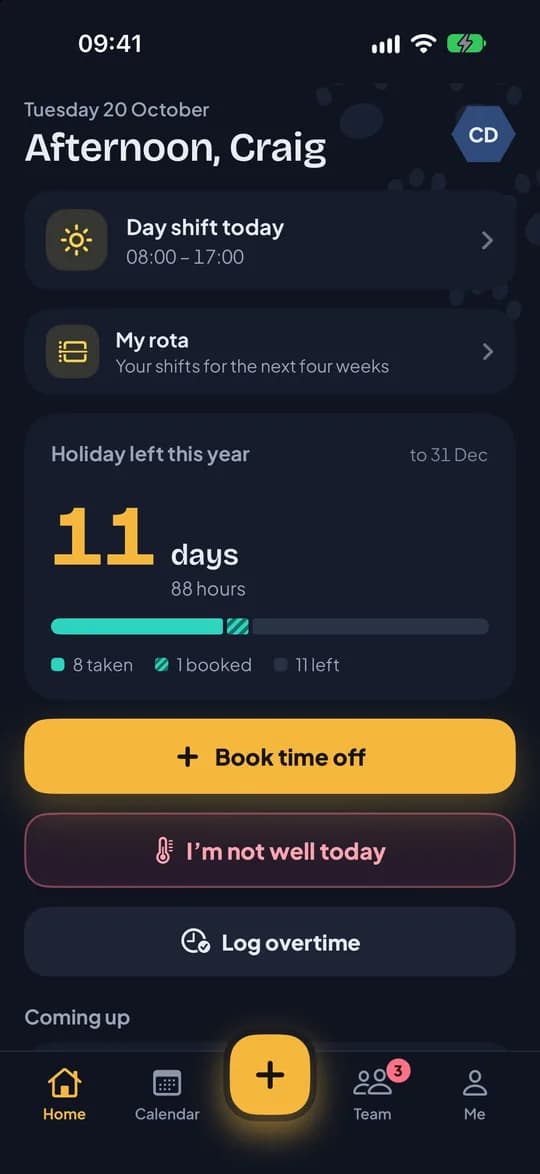
The home screen opens on what people look for first: today’s shift, how much holiday is left, and three big buttons.
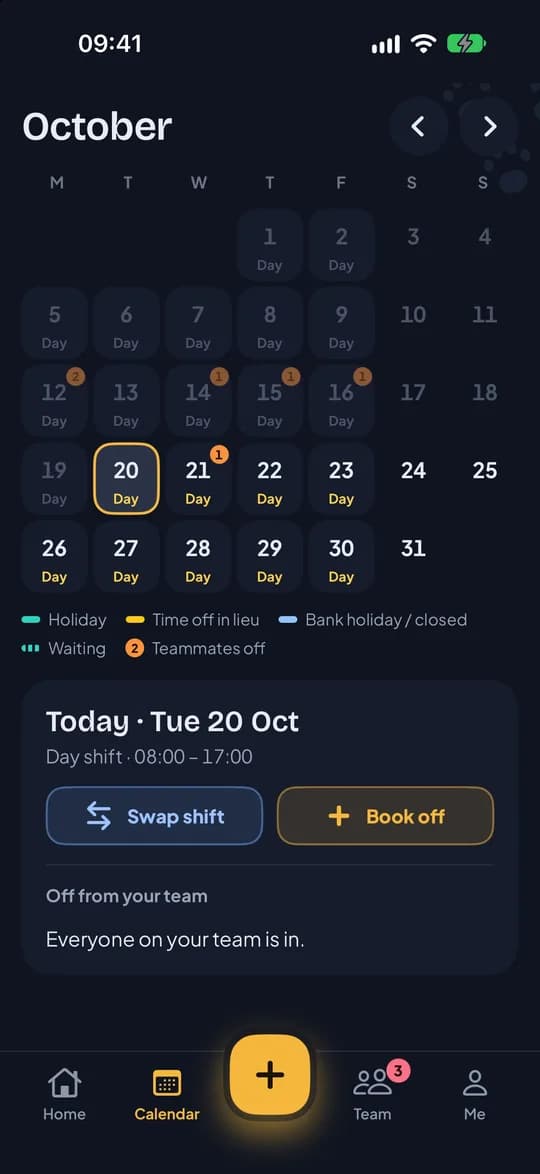
- See their rota. Today’s shift up front, and the next four weeks in My rota. When the rota is published or changes, they get a notification.
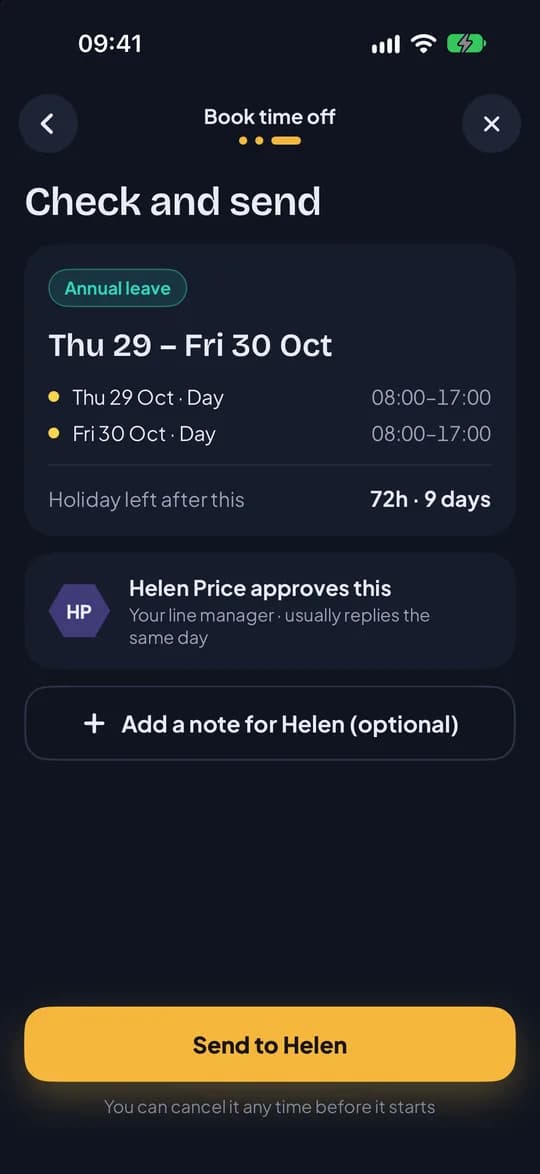
- Book time off in three taps. Pick the type, tap the first and last day, send. Before sending, they see how much it uses and what’s left. Only the shifts they’d have worked come off their balance, so the days off in between cost nothing. Part of a shift can be booked in 15-minute steps.
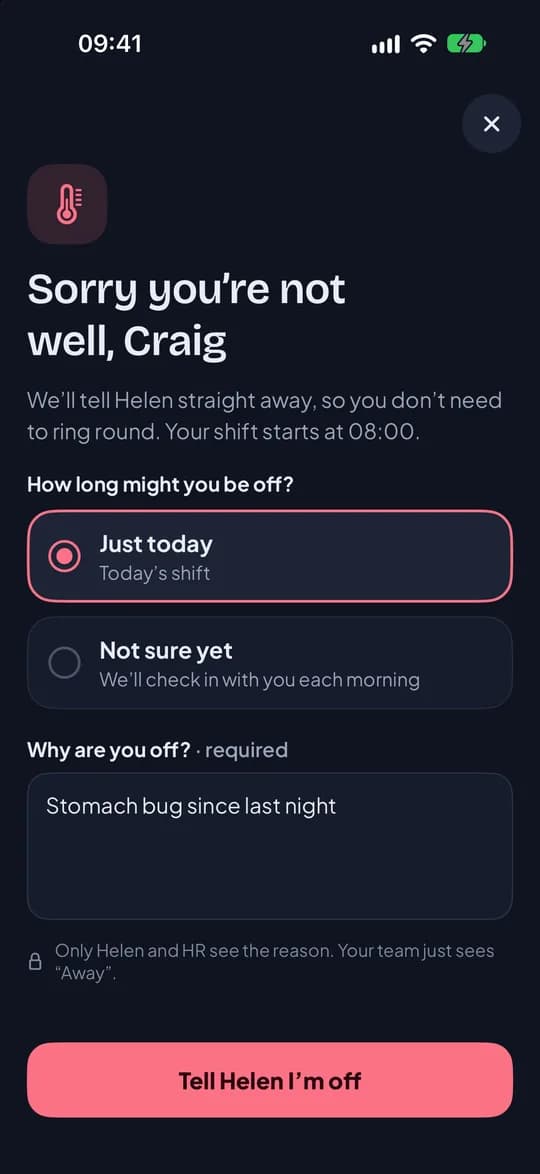
- Say they’re not well. “I’m not well today” tells their manager before the shift starts. The reason goes to the manager and HR only, and colleagues see “Away”. The next morning, the app asks if they’re back.
- Take open shifts and swap. Extra shifts arrive as a notification and can be taken from it. They can ask a colleague to swap a shift, and their manager approves it with cover checked first.
- Say when they can’t work, and when they’d prefer to, every week or on particular dates.
- Keep an eye on it from the home screen. Widgets show the next shift, the next time off and holiday left, on the home screen and the lock screen.
What line managers can do
Line managers use the same app. There’s no separate manager app to install.
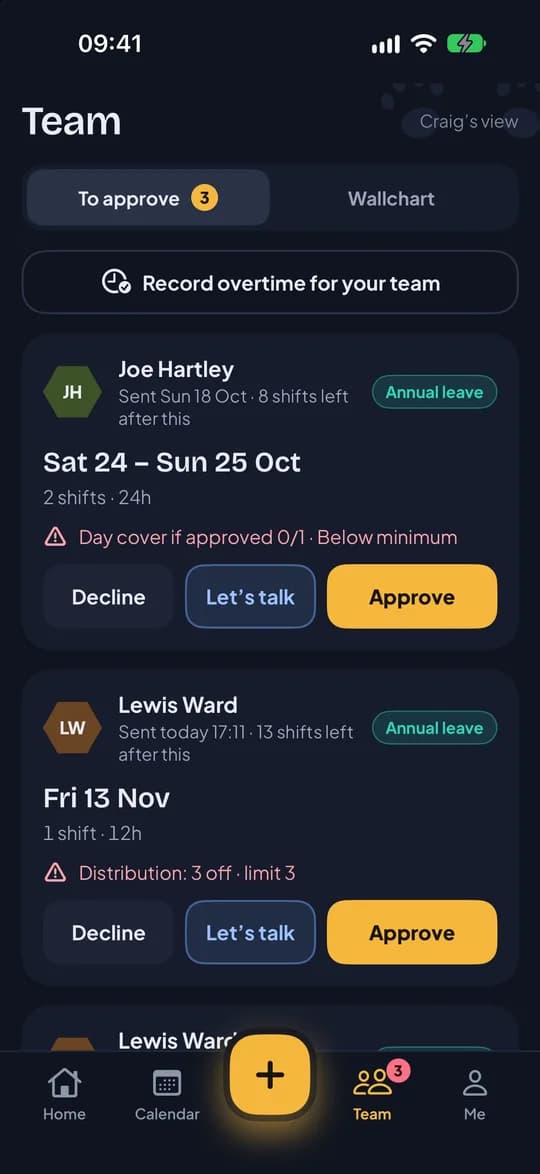
- Approve from the notification. Requests arrive with Approve and Decline buttons on them. Or open the Team tab and choose “Let’s talk” to ask a question first.
- See cover before you say yes. Each request shows whether approving it would leave the team below its minimum.
- See who’s off. The wallchart shows the team by week, month or year, sorted by name, job role or shift pattern.
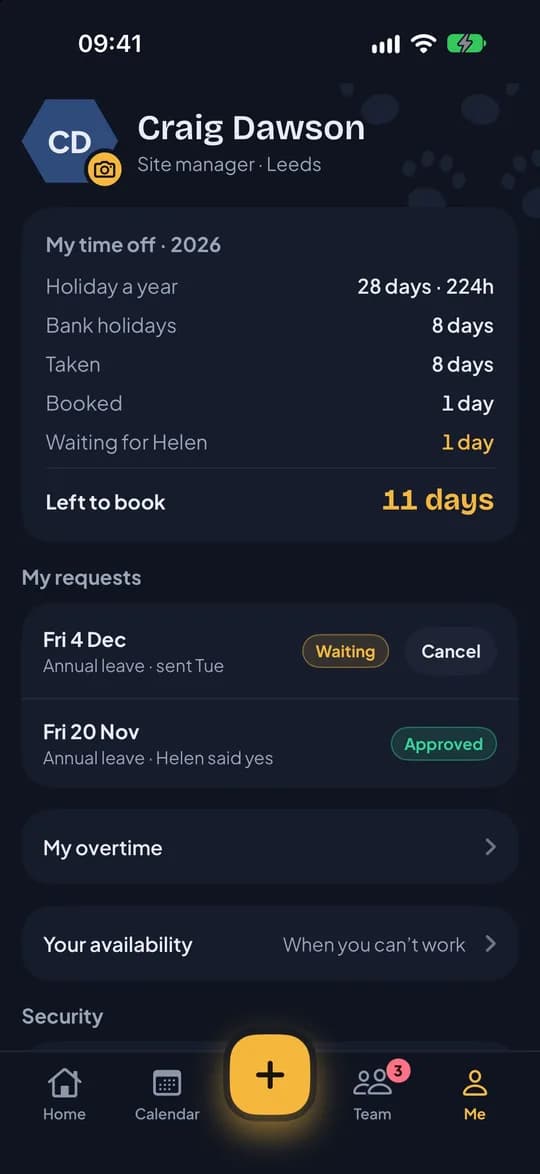
- Record overtime, and approve, move or remove days off in lieu when a bank holiday falls on someone’s day off.
Planning and publishing the rota stays on the website, where there’s room to see the whole week.
Folded, unfolded and on iPad
On iPhone Duo, RotaTiger uses the cover screen when the phone is folded. Open it out and booking time off spreads across both halves, with the calendar on one side and the request on the other. iPad gets the same two-pane layout.
How your team gets it
There’s no sign-up in the app. It’s for companies that already use RotaTiger, so there’s nothing for staff to set up:
- Add your people in RotaTiger and send their invites, if you haven’t already.
- They install RotaTiger from the App Store.
- They enter their work email or mobile number, type the code we send, and use Face ID from then on. Passkeys and two-step verification work in the app too.
Nobody has to use the app. Everything staff can do in it also works in any phone’s browser.
What about Android?
The Android app followed on 10 November 2026, with everything that’s in the iPhone app. It’s on Google Play now, and there’s more in the Android launch post.
You can see more on the iPhone app page, or get it from the App Store.